
How to submit a timesheet
Your organisation may have asked you to submit your volunteer hours via INVOLVE's time recorder tool. This provides them with valuable information about your contribution.
How to submit your volunteering hours
You will need access to the timesheet form relevant to the program you are involved in. Ask a volunteer manager to send you a link, or you may be presented with a QR code that links to the web form. If you are unfamiliar with how to use a QR code, have a look at the Australian Government's eSafety video.
⭐ Tip: Check the program name, which will be above the QR code and the web form, to ensure you are submitting hours to the right program.
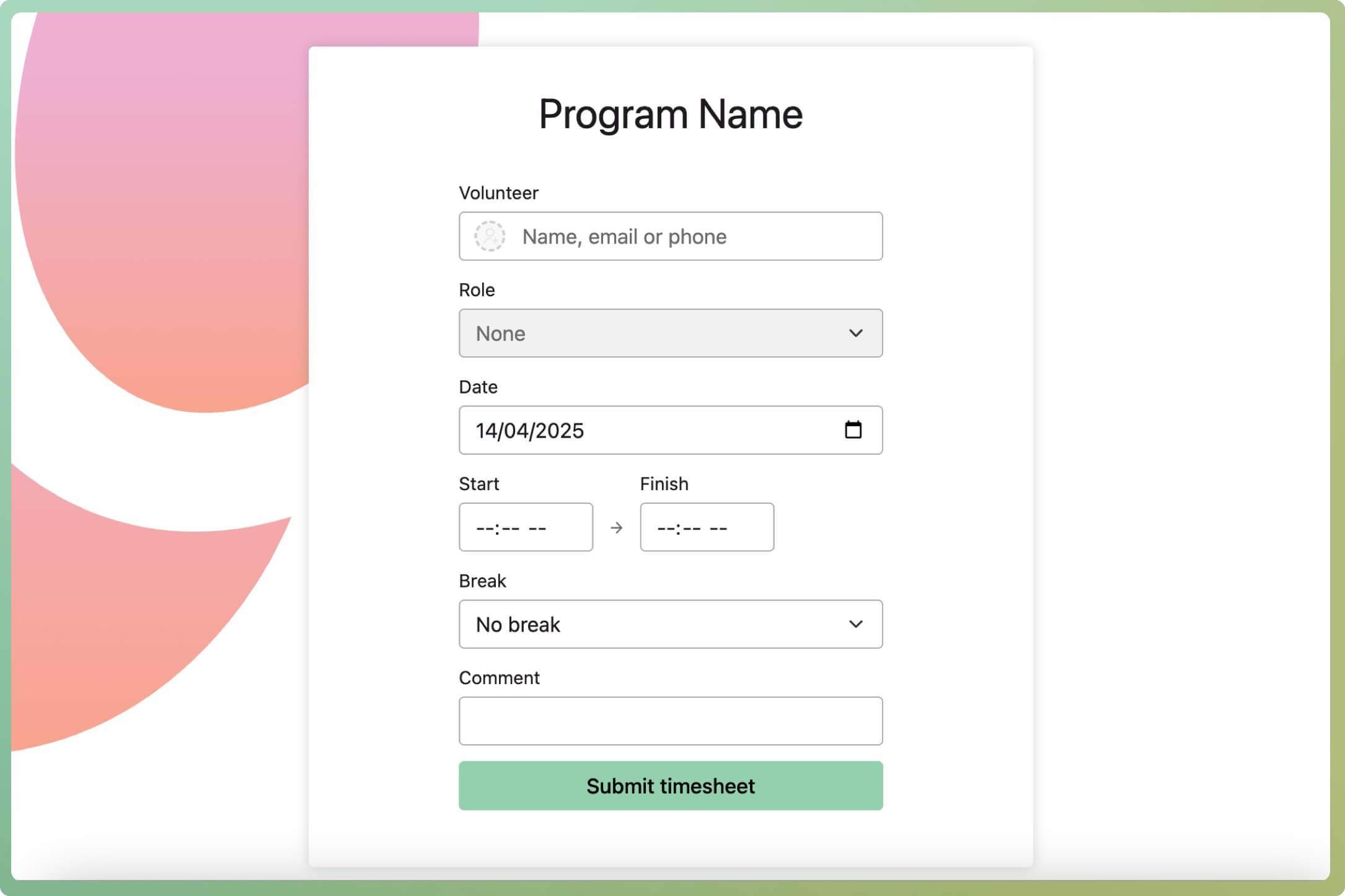
- Start typing your first name in the volunteer field. When your name appears in the drop-down list, select it.
- Your assigned role should automatically appear. If it does not, do not select one unless you know which role you have.
- Select the date you did the volunteering. Enter your start and end times, then select the total time for the breaks you took.
- You can optionally add a comment to the volunteer manager regarding this shift or these hours. Any important messages should be sent on other channels.
- Select the Submit timesheet button to finish
What if I cannot find my name?
Here are some tips if you cannot locate your name when submitting a timesheet:
- Try typing your surname, phone number or email if you can't find yourself by your first name
- Refresh the page and try your first name again
- Double-check the program name. Are you part of this program?
- Contact your volunteer manager to make sure you are involved in this program