
Clock-on/off
Your organisation may have asked you to record your volunteering hours via INVOLVE's clock-on/off tool. This provides them with valuable information about your contribution.
How to Clock on when you start
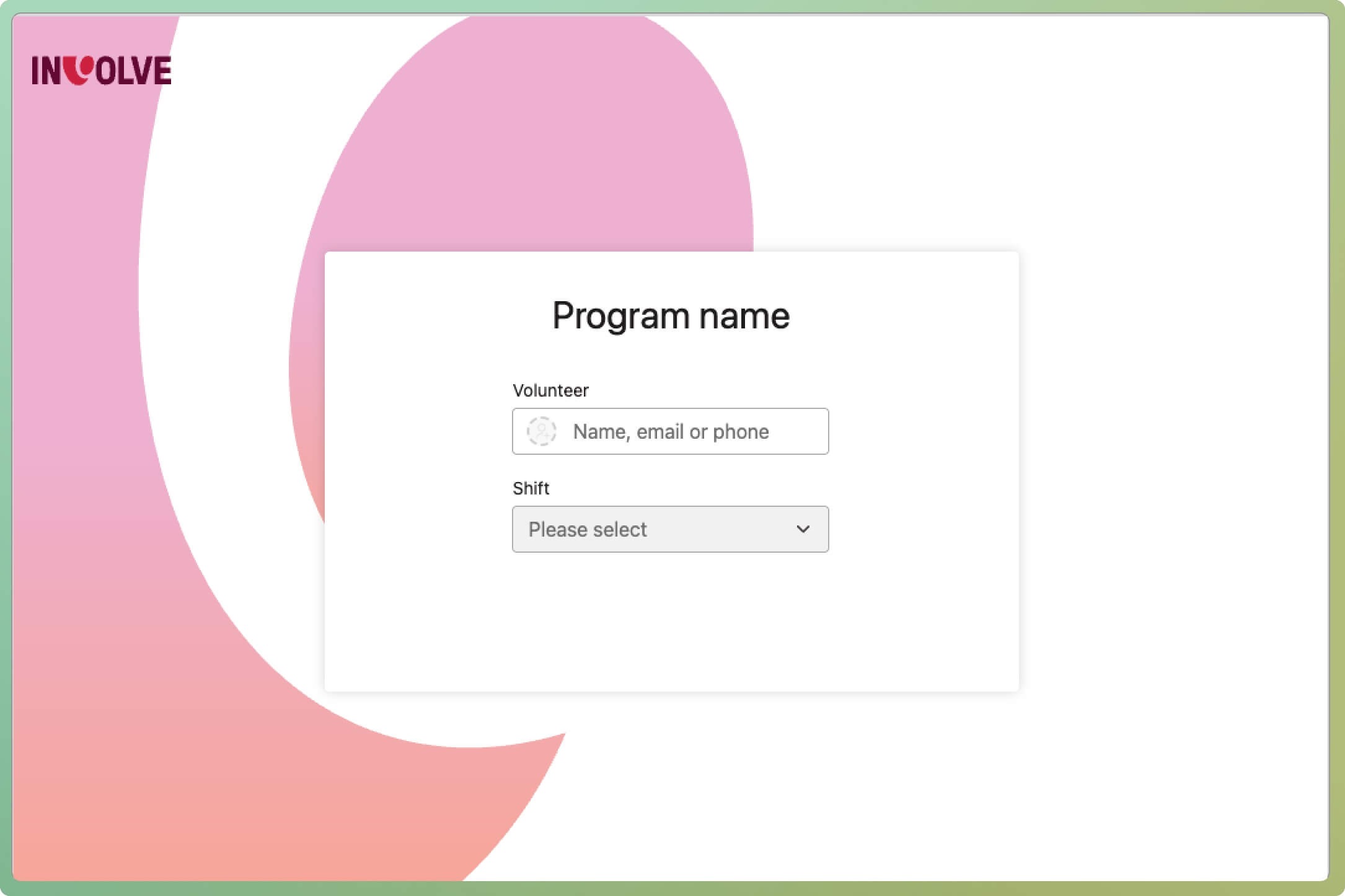
When you arrive for a shift or session, you will need to enter your name and, optionally, select a shift on a web form to clock on successfully.
You may be presented with a QR code that links to the web form. You can clock on and off with your own mobile phone. If you are unfamiliar with how to use a QR code, have a look at the Australian Government's eSafety video.
⭐ Tip: Check the program name, which will be above the QR code and the web form, to ensure you are clocking on to the right program.
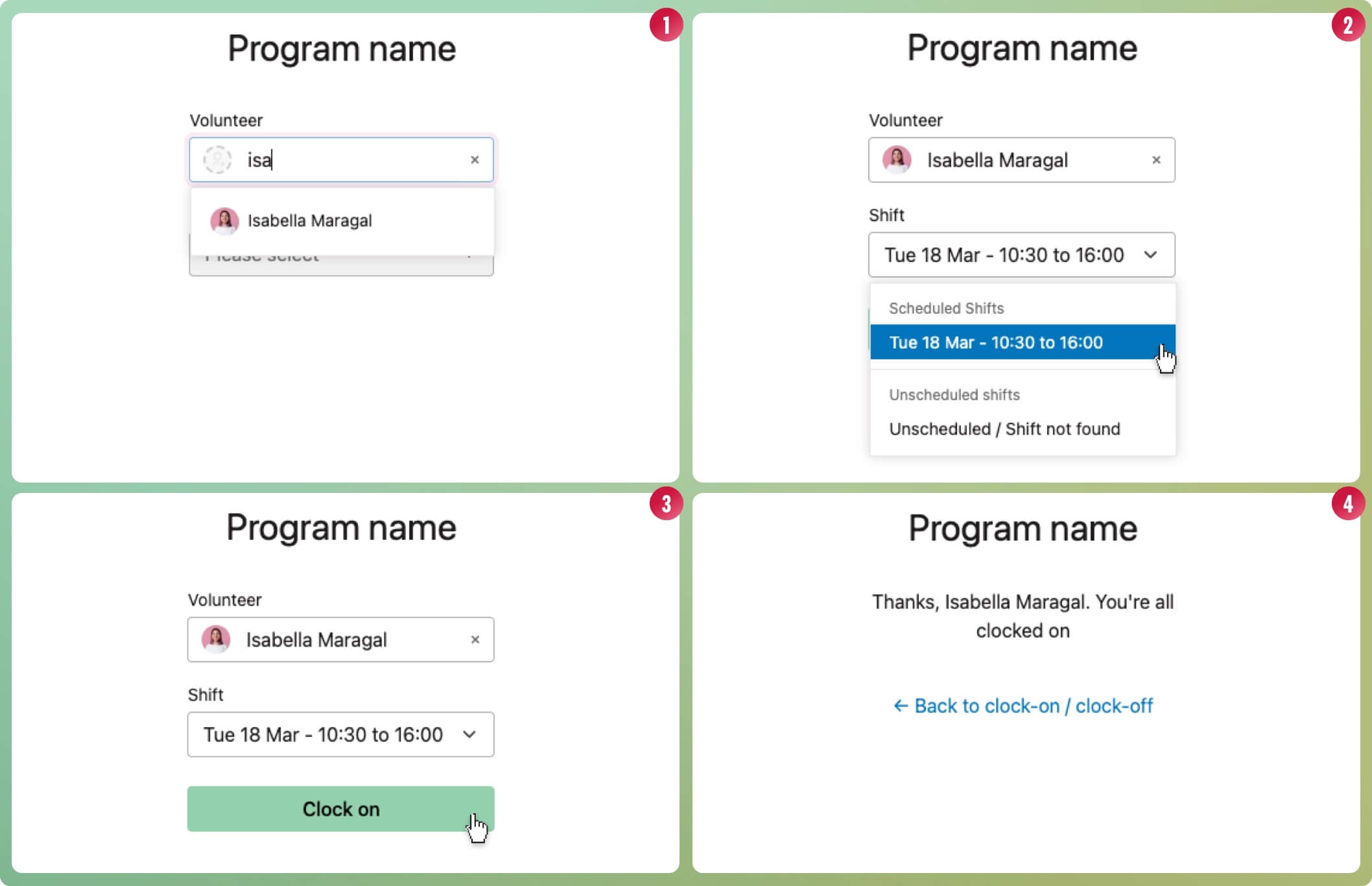
- Start typing your first name in the volunteer field. When your name appears in the drop-down list, select it.
- Select the shift dropdown field. Today's shifts that your volunteer manager has scheduled will appear; select the scheduled shift. If there are no shifts, that is ok your program may not be using set shifts. Select the Unscheduled / Shift Not Found option; this will still record your time.
- Once you have your shift selected, the Clock On button will appear; select it
- You have successfully clocked on! Remember to clock off when you finish
What if I cannot find my name?
Here are some tips if you cannot locate your name when you clock on or off:
- Try typing your surname if you can't find yourself by your first name
- Refresh the page and try your first name again
- Double-check the program name. Are you part of this program?
- Contact your volunteer manager to make sure you are involved in this program
How to Clock off when you finish
To clock off, repeat the steps used to clock on.
- Start typing your name in the volunteer field. When your name appears in the drop-down list, select it.
- Select the shift in the Shift dropdown field.
- Once you have selected your shift, the Clock off button will appear. Select it
- You have successfully clocked off!