Notify volunteers of shifts
There are two ways we can notify volunteers of shifts created in a program schedule: either by sending them their upcoming shifts or by sending a volunteer a notice about a single shift.
Email upcoming shifts to volunteers
Send the upcoming shifts to your volunteers. They will receive a unique link showing their upcoming shifts.
- Select the Email schedule button
- When the Email schedule modal appears, choose a group to send to
- Select the recipients (not needed if you chose to send to all volunteers)
- Add a message to the volunteers (optional)
- Select the Send button to finalise
Which group?
|
Selected volunteers |
Anyone selected will receive their schedule and see any open shifts for their assigned role, any roles they have done in the past and any shifts without an assigned role. |
|
Anyone scheduled with selected roles |
Anyone with a future shift scheduled for a selected role. You can select one or more roles. |
|
Anyone suitable for selected roles |
Anyone who is assigned, or has worked, or is scheduled for a shift, for the selected role. |
|
All volunteers |
All volunteers will receive their schedule and see any suitable open shifts. |
What does the volunteer receive?
Each volunteer in the group will receive a unique "tokenised" link to access their schedule. They can use the link at any time to view their scheduled shifts and see any suitable open shifts they could cover.

- The volunteer's name and program name
- Assigned shift that needs the volunteer to confirm
- Confirmed shift
- Requested open shift
- Number of hours contributed to the program
- List of open shifts
Email one shift to a volunteer
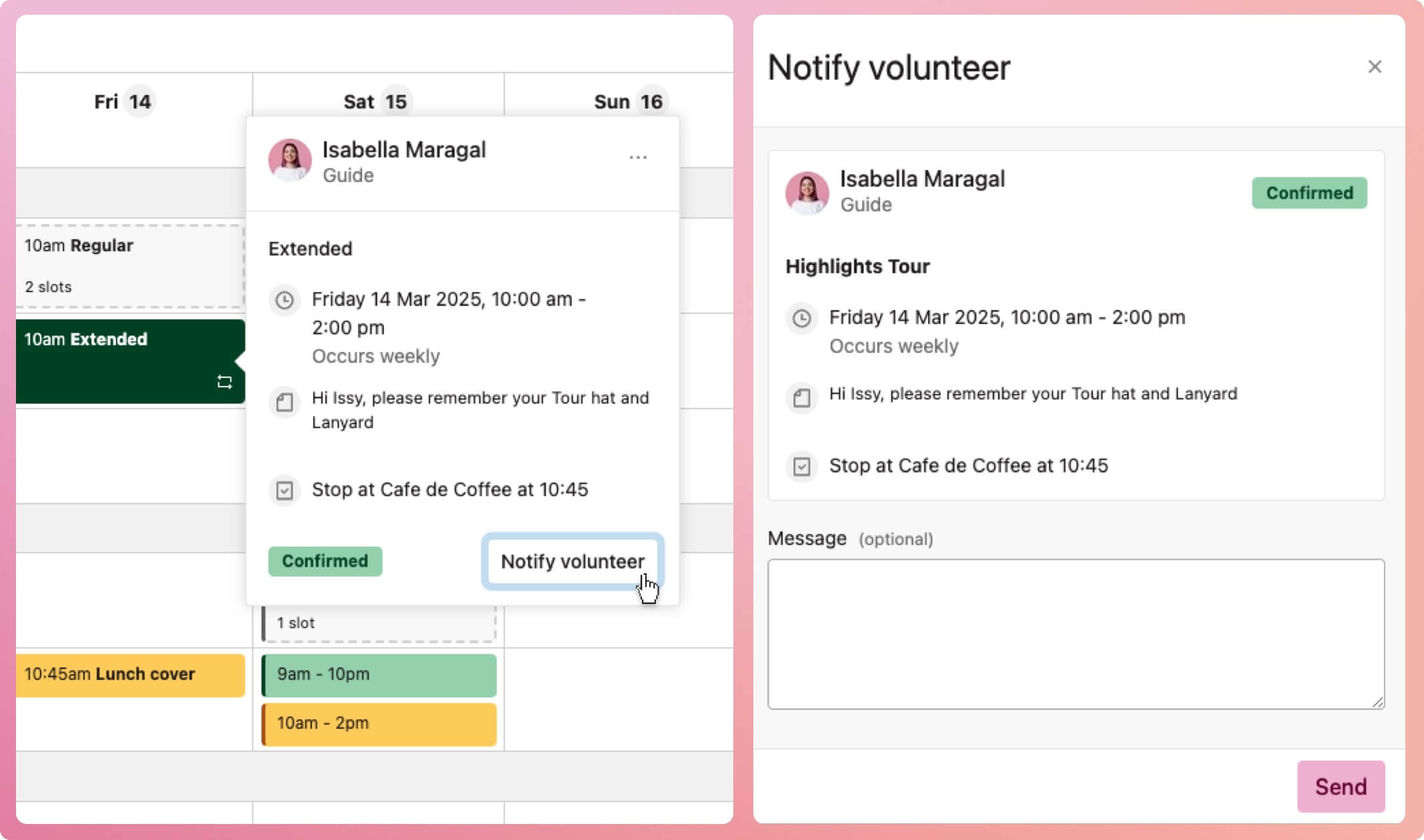
You can notify a volunteer of just one shift, say, for example, the location changed, or you had to cancel the shift on short notice.
- Select the shift on the schedule.
- When the shift popover appears, select the Notify volunteer button on the bottom right-hand side.
- When the Notify volunteer modal appears, type a message (optional)
- Select the Send button at the bottom of the modal to finalise
What does the volunteer receive?
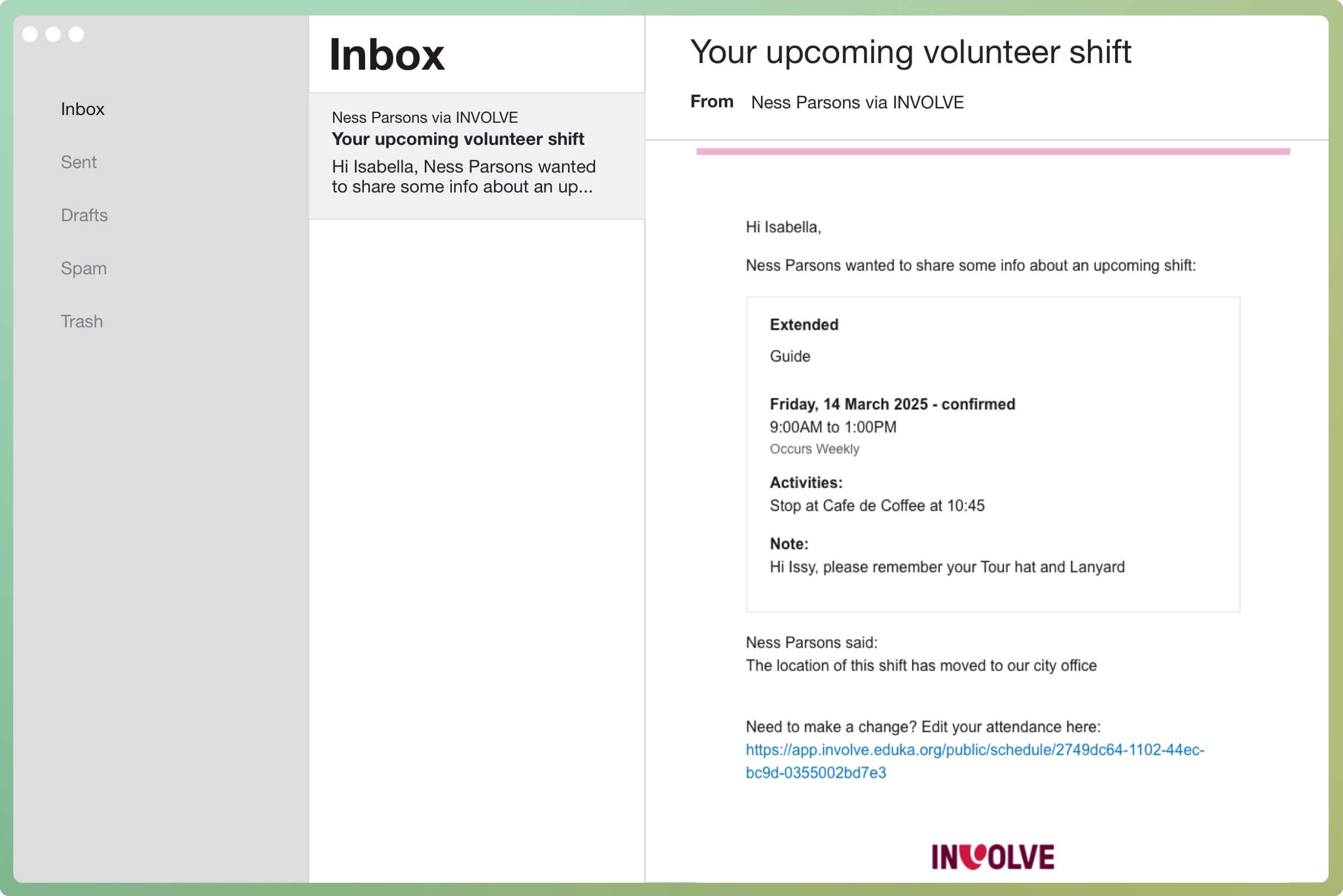
The volunteer will receive an email notification with the shift details and the message.