Delete a volunteer
When to delete a volunteer
Deleting is a permanent option. Used for duplicate records, testing or mistakes. Deleting a volunteer record will:
-
Remove the volunteer from all programs
-
Delete all their historical timesheets and past shifts
-
Delete their record, including all their personal information
This means the volunteer:
-
Will not be able to be found in any searches
-
Will no longer contribute to any reports
-
Will not be able to be restored
You can opt to archive a volunteer which will retain their historical timesheets and allow you to restore if needed.
How to delete a volunteer
Important note: Deleting cannot be undone.
-
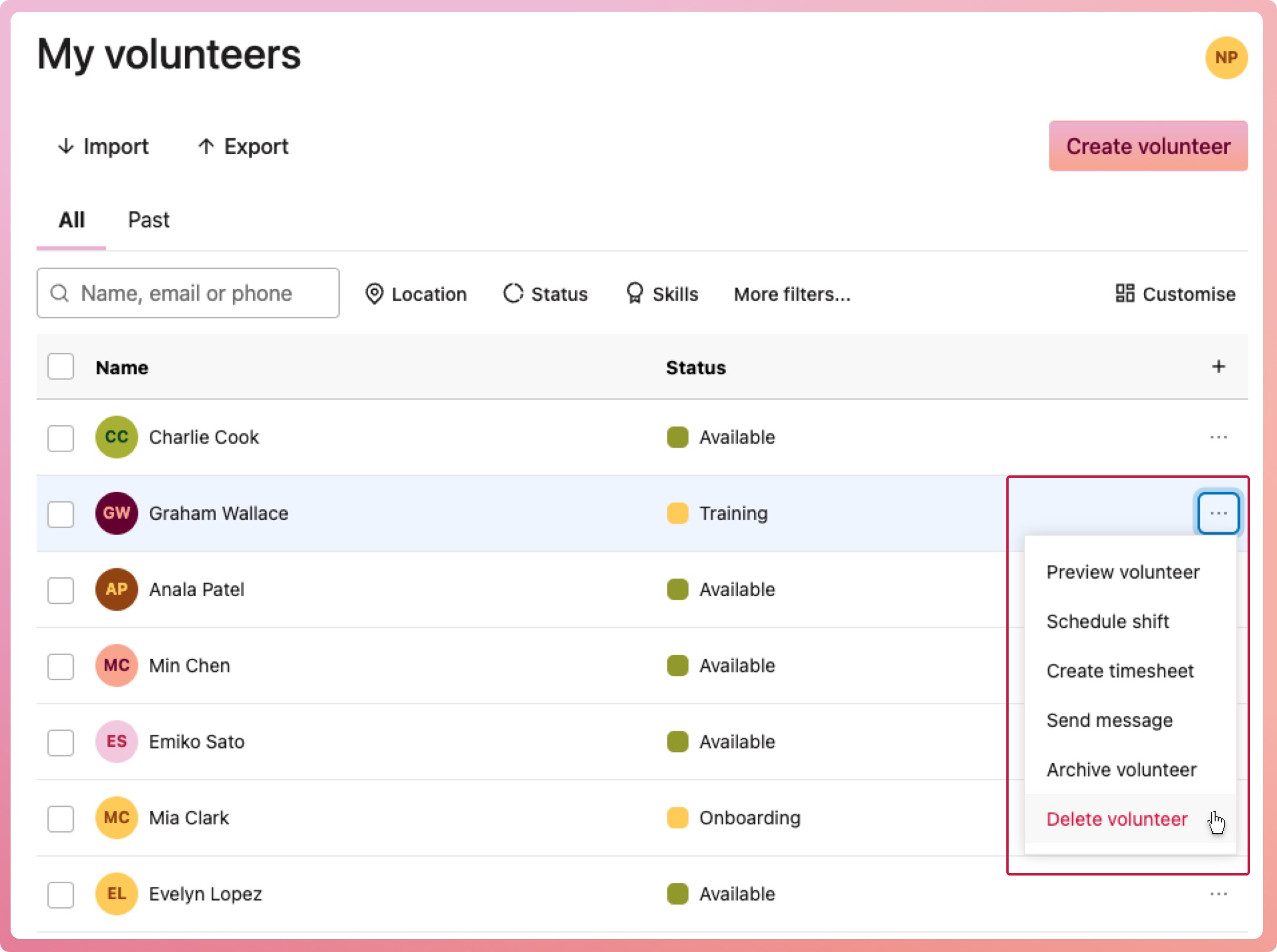
Navigate to My volunteers
-
Find the volunteer who is to be permanetly deleted
-
Select the context menu button (three dots) located on the right-hand side of their row, then select Delete volunteer
-
When the confirmation modal appears, select Delete permanently