
Assigning volunteers to programs
A volunteer can be assigned to none, one or more programs in your organisation. There are several ways to add a volunteer to a program, including from the 'My Volunteers' section, the volunteer's record, or directly in the program.
Assign volunteers to a program from My Volunteers
- Navigate to My Volunteers
- Select the checkbox on the right-hand side of the volunteer's line in the list. More than one volunteer can be selected
- A 'bulk action' bar appears at the top of the table. Select the + add to program button
- When the add to program modal appears, search for the name of the program and select it when it appears in the lookup
- Select the Save button at the bottom of the modal to finalise
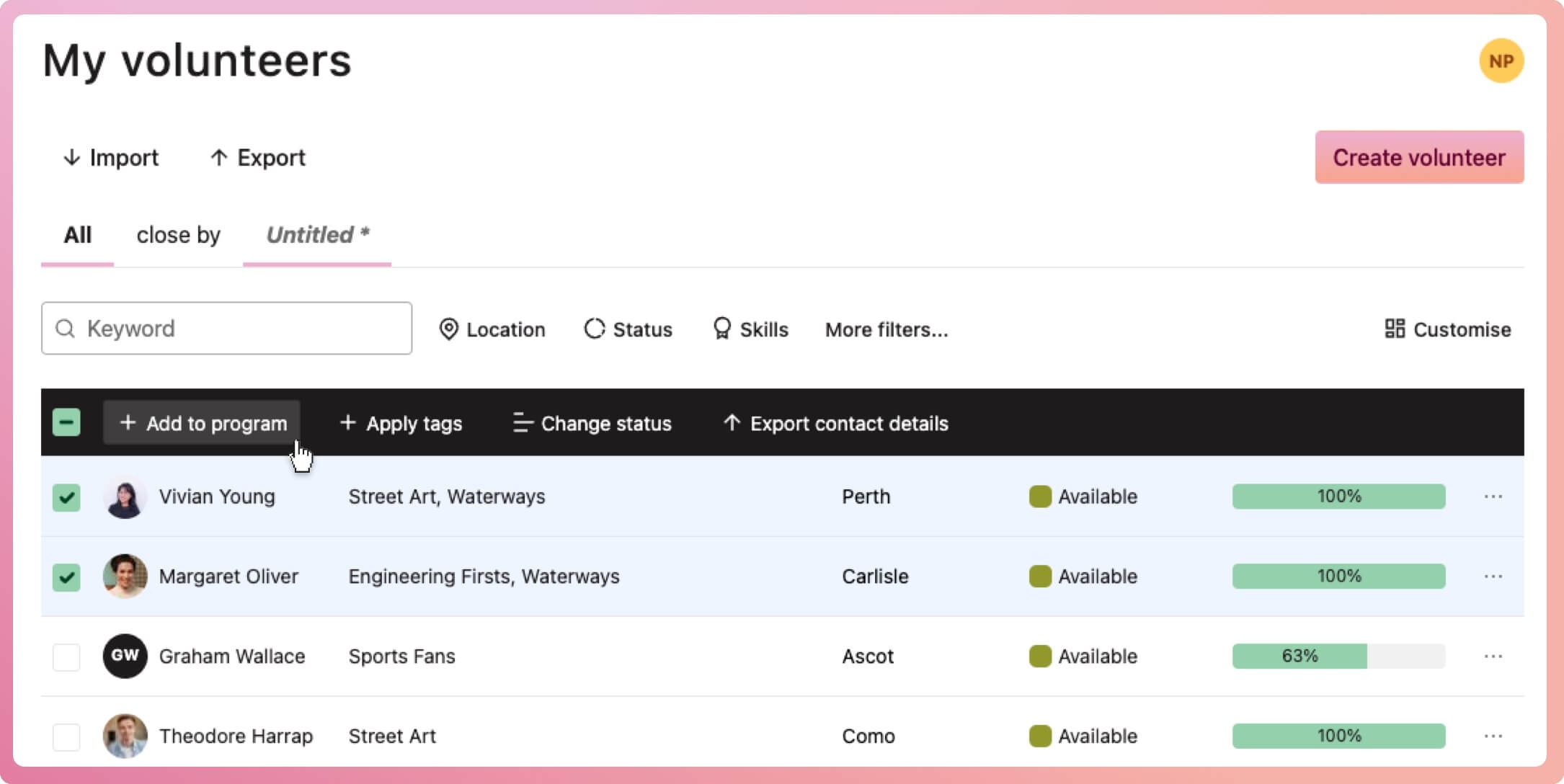
⭐ Tip: Before step 2 above, you can filter your list of volunteers to see, for example, those with a certain status or skill. This may help you assign the right volunteers
Assign volunteers to a program from the program
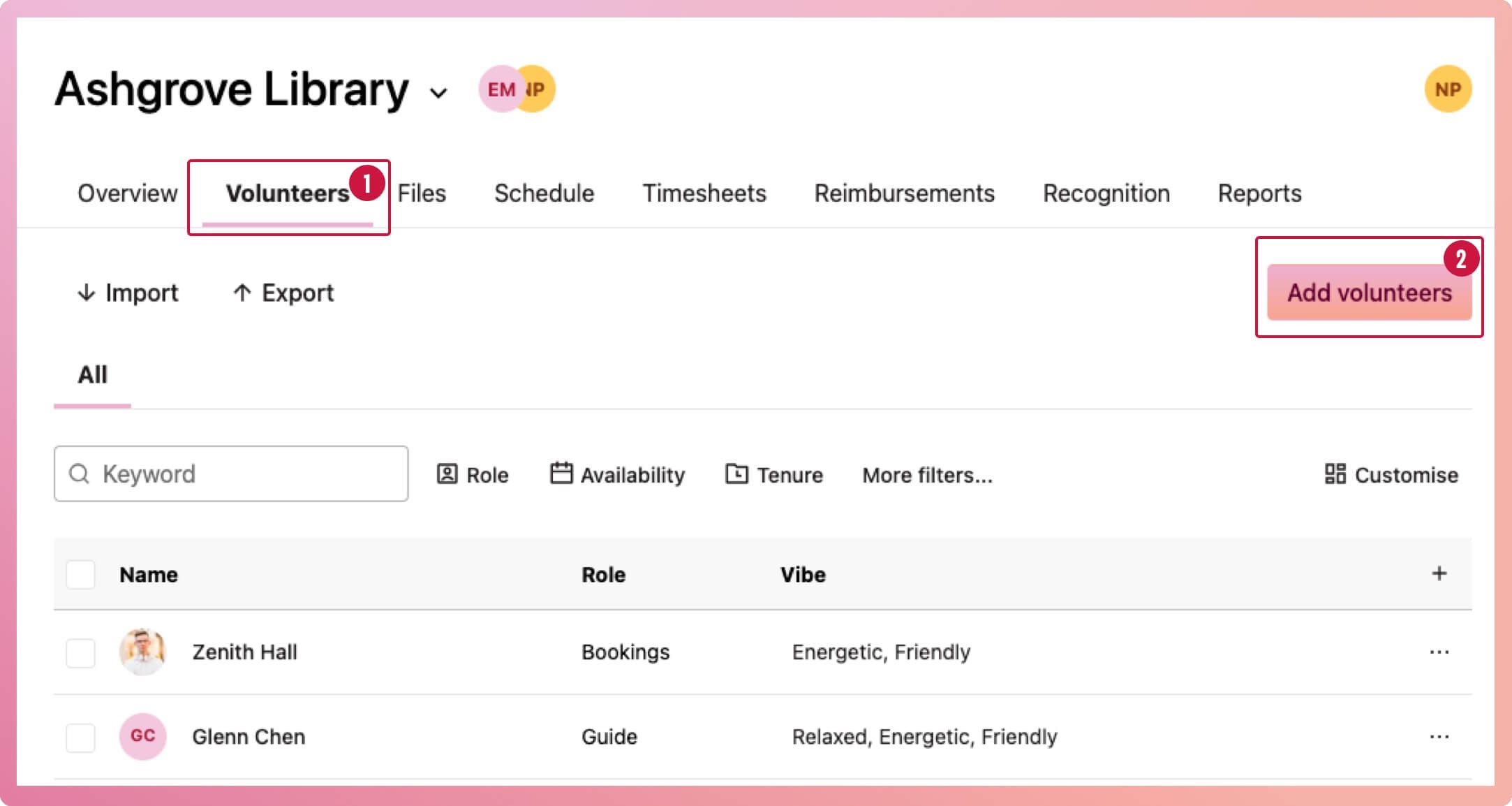
- Navigate to the program and select the Volunteers tab
- Select the Add volunteers button
- When the modal appears, select the dropdown to bring up a list of volunteers, search for and select any number of volunteers at once
- Once done, select the Add button at the bottom of the modal to finalise
Note: Program Coordinators will not be able to add volunteers to a program