
Adding staff users
- Navigate to My Organisation
- Select the Invite staff button
- When the Invite staff modal appears, enter their details and select a role for them.
- Select the send button to finalise
That's it! This person will receive an email invitation to your INVOLVE organisation.
👉 Which role should I choose? Find out more about the different roles and permissions.
Which staff can see programs?
INVOLVE has five tiers of users (staff who log in to INVOLVE), but only two options when it comes to program access: either they have access to all of your organisation's programs, or they are restricted and have access to only selected programs of your choosing.
- Billing Owners, Organisation Administrators and Volunteer Managers - access all the organisation's programs and can assign any other staff member to a program.
- Program Managers* and Program Coordinators - only access programs they have been assigned to by either an Organisation Administrator or a Volunteer Manager.
* Premium tier plans have the additional Program Manager role
How to assign staff to a program
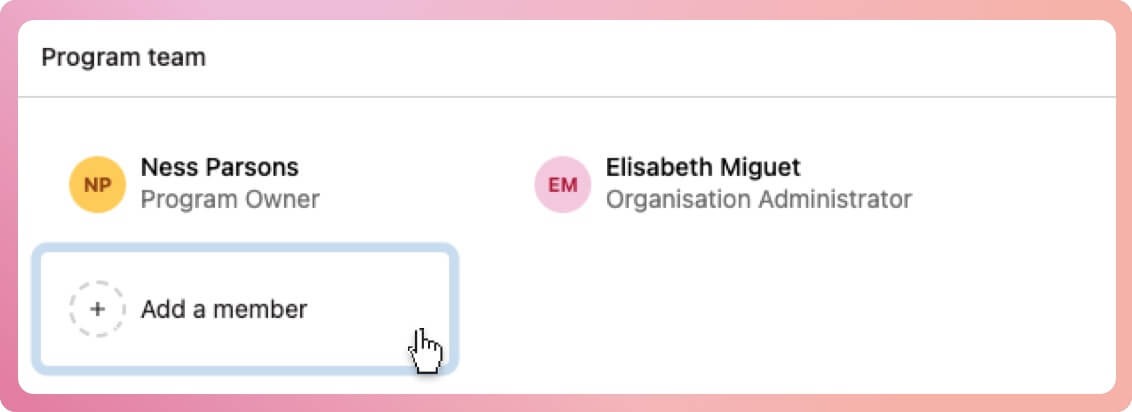
- Select the program from the left-hand sidebar
- Navigate to the Overview tab
- Locate the box titled Program team
- Select the Add a member button
- When the modal box appears, select the team from the staff list
- Select the Add button at the bottom of the modal to finalise
Assigning Program Coordinators to selected programs
Program Coordinators can only access programs they're assigned to by an Organisation Administrator or a Volunteer Manager. Assigning Program Coordinators can be done in two ways:
From the program's overview tab:
- Locate the box titled Program team
- Select the Add a member button
- When the modal box appears, select the coordinators from the staff list
- Select the Add button at the bottom of the modal to finalise
From the organisation's staff list:
- Navigate to My Organisation
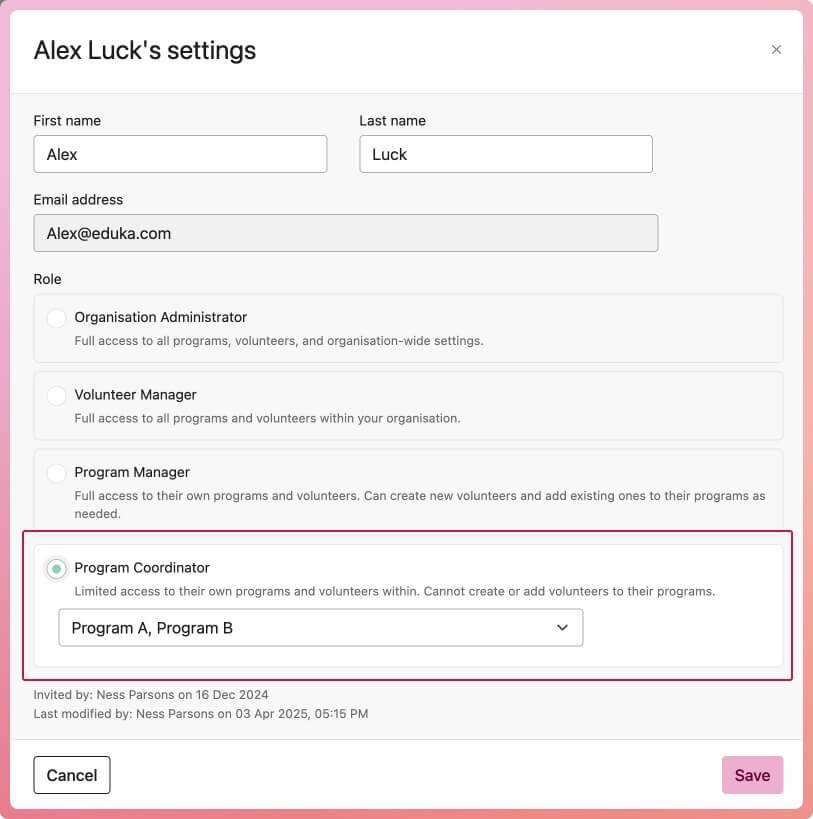
- Select the Staff tab, then select the program coordinator
- When the modal box appears, select one or more programs that they can access
- Select the Save button at the bottom of the modal to finalise
Note: Only Organisation Administrators and Billing Owners can access the Staff tab. Volunteer Managers can add staff to a program from the program overview tab.