
Starting a program
How to create a new program
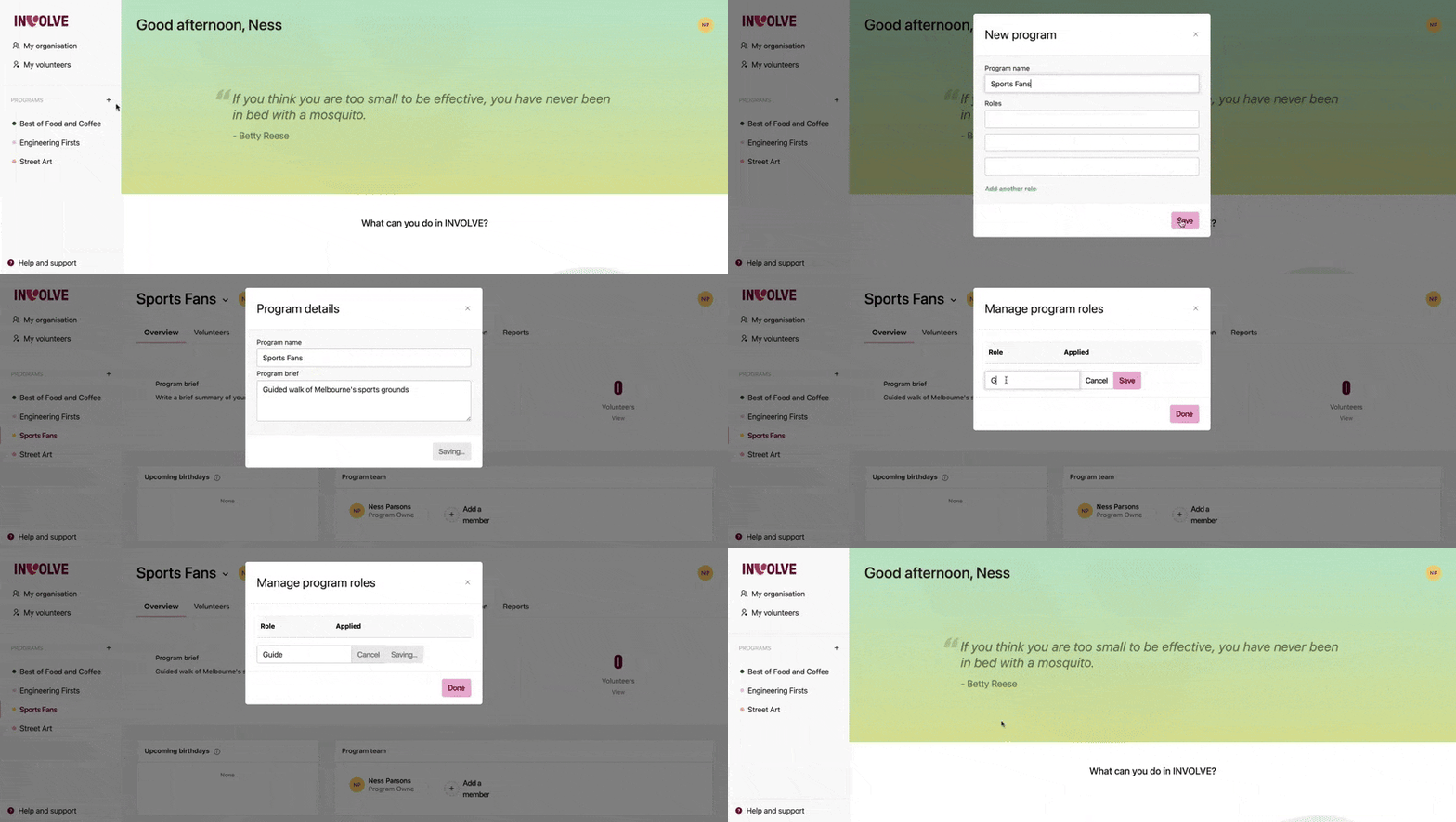
- From the Navbar (left-hand side), select the + symbol next to the header called PROGRAMS
- When the program modal box appears, enter a name for your program. This needs to be a unique name, as you cannot have two programs named the same
- Add any roles that volunteers will have in this program. This is optional, and can be added later
- Select the Save button at the bottom of the modal to finalise
⭐ Done, you have created a program ⭐
Note: Program Coordinators and Program Managers cannot add new programs
Assign Staff to your Program
- Select the program and navigate to the Overview tab
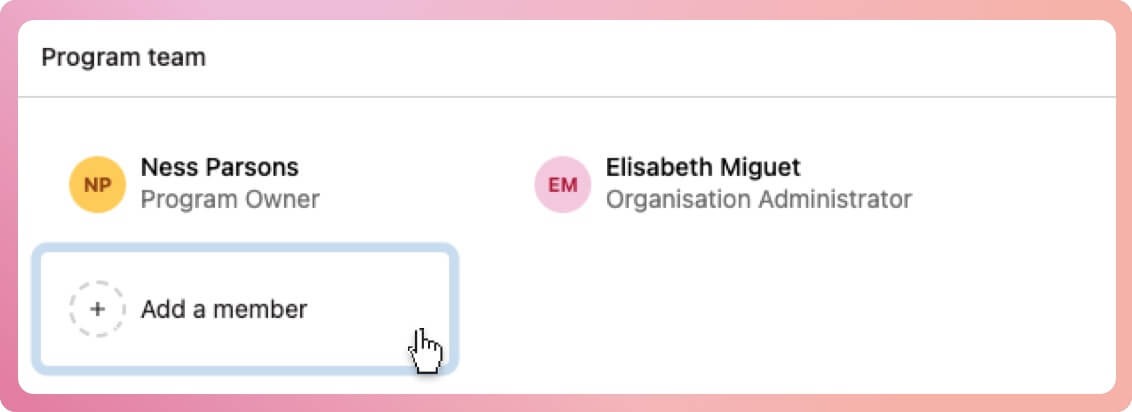
- Locate the box titled 'Program team'
- Select the button Add a member
- When the modal box appears, select from the staff list those whom you want to include in the team for this project
- Select the Add button at the bottom of the modal to finalise
👉🏽 Find out how to add staff users to INVOLVE
Add Volunteers to your Program
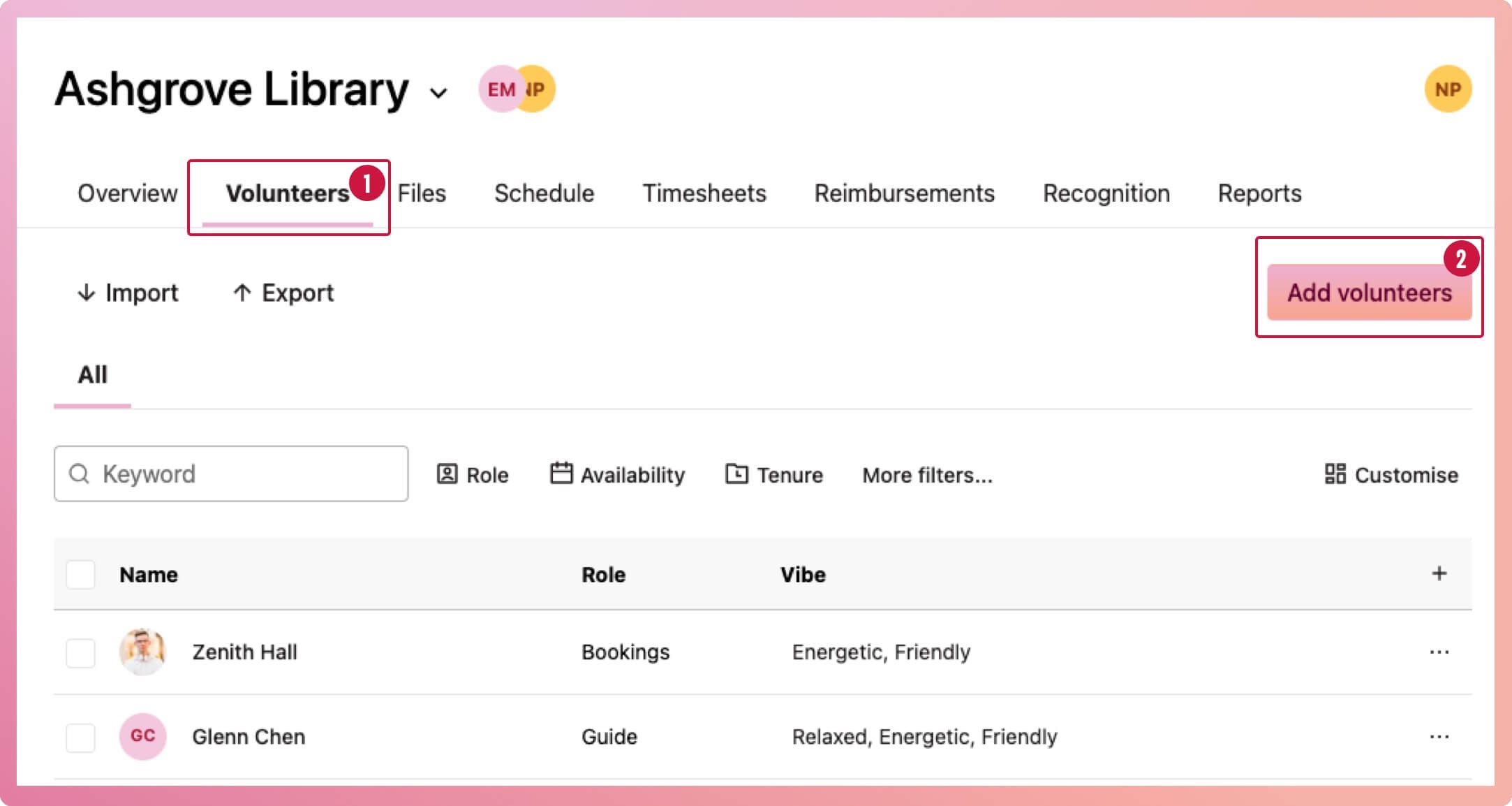
- Select the program and navigate to the Volunteers tab
- Select the Add volunteers button
- When the modal box appears, select from the list of your organisation's volunteers those who will be in this program
- Select the Add button at the bottom of the modal to finalise
👉🏻 Find out how to add volunteers to your organisation
Assign roles to volunteers
- Select the program and navigate to the Volunteers tab
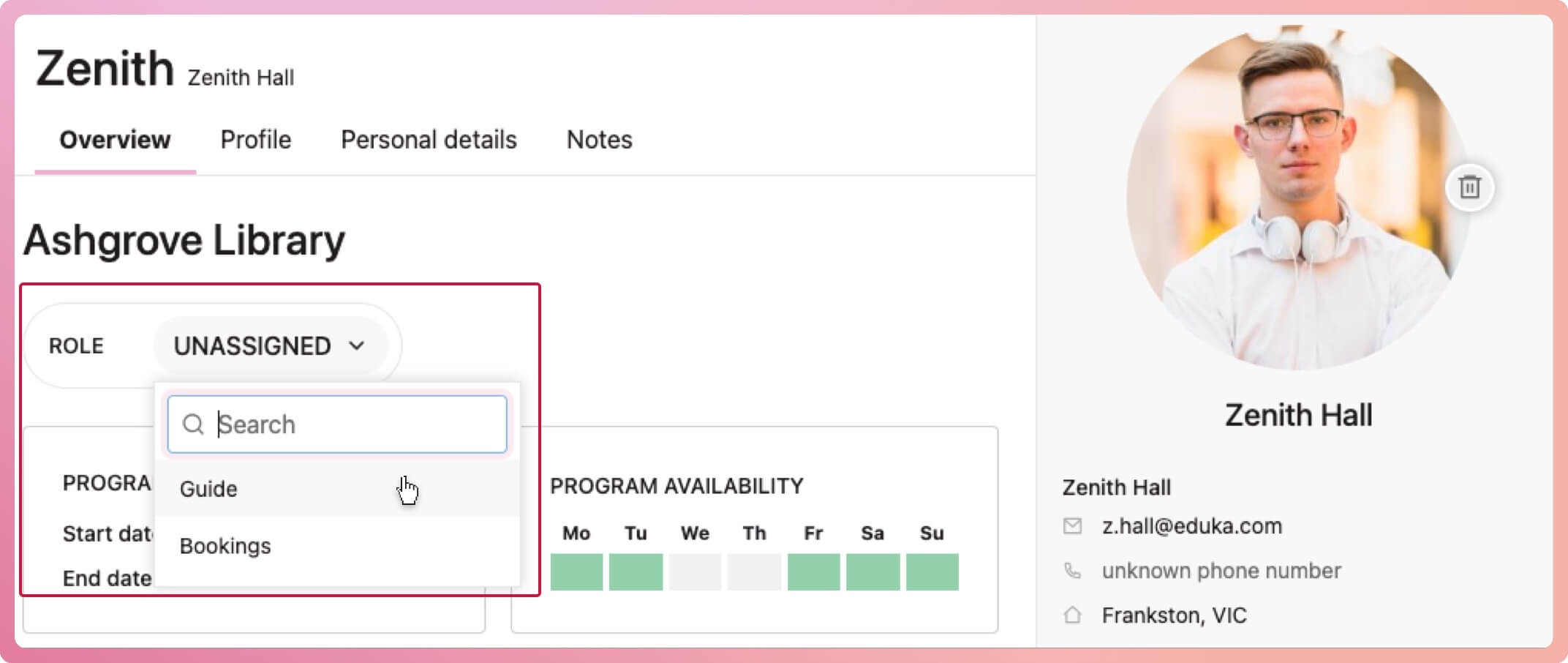
- Select the volunteer to bring up their profile
- Select the role dropdown
- Search and select from existing roles, or continue typing a new role and select the option to create the new role
👉🏻 Roles are a way to group volunteers within a program. Find out more about what roles are and what you can use them for
Editing program details
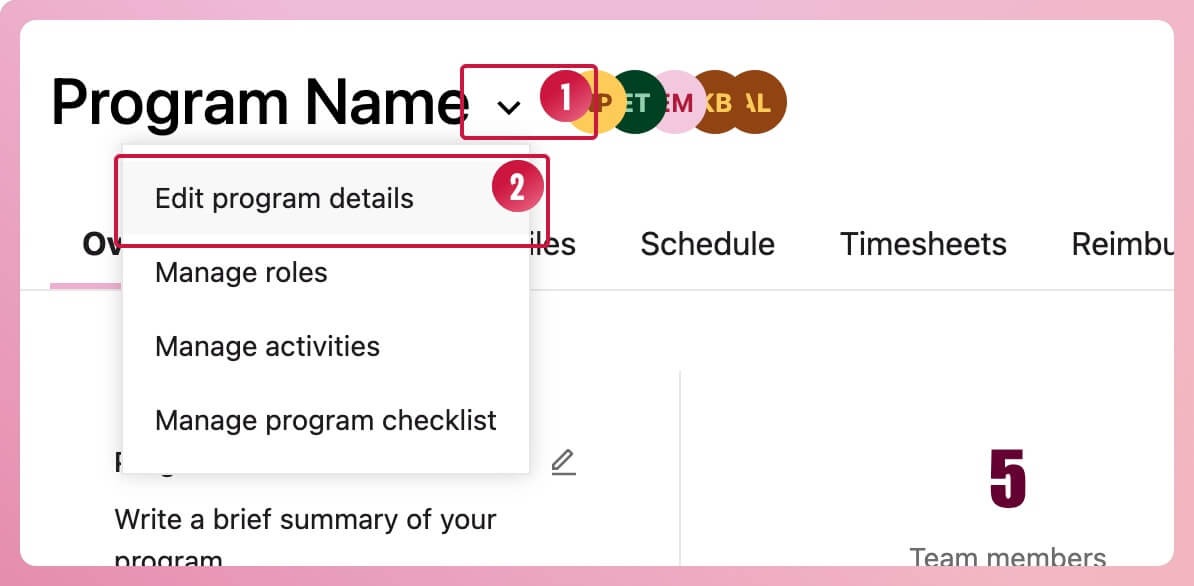
Change the name of the program or the program brief
- Select the program menu icon (the down-facing chevron) located at the end of the program name in the header
- Select Edit program details from the context menu that appears
Edit program roles
- Select the program menu icon (the down-facing chevron) located at the end of the program name in the header
- Select Manage roles from the context menu that appears
- Select the three-dot button on the right of the role you want to edit to rename or delete the role
If you delete a role that has been assigned to one or more volunteers, you will be asked if you would like to reassign them.