
How to create your onboarding checklist
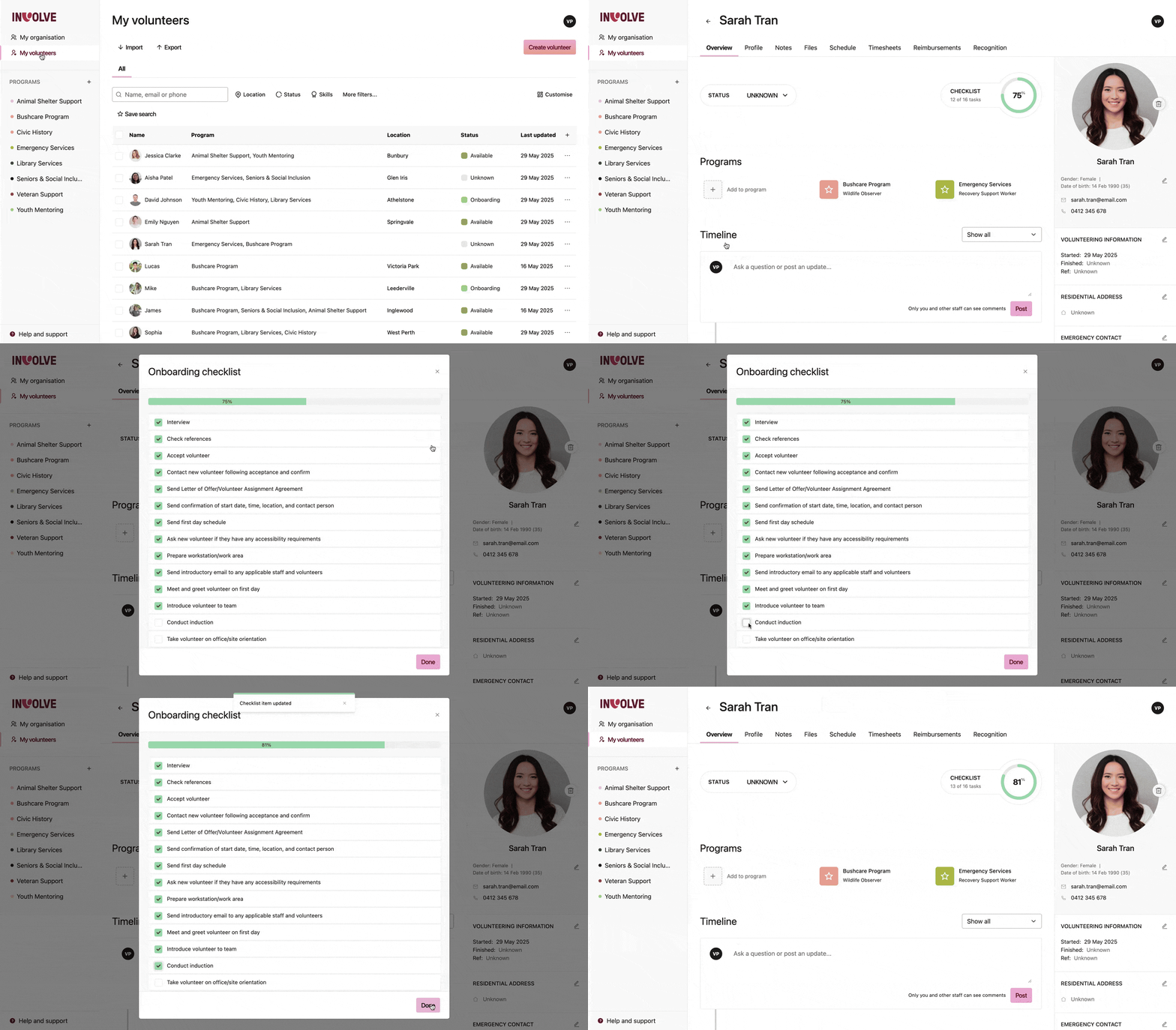
Onboarding checklists are a way to ensure all the necessary steps are completed when bringing volunteers on board. Such as providing specific documentation, attending an information session, or obtaining access passes. INVOLVE's onboarding checklists are customisable to your organisation, and you can easily see volunteer progress and when they are ready to go.
How does the onboarding checklist work?
Each volunteer has their copy of the checklist, and when they have completed a checklist item, a staff user checks it off the list. The completeness percentage bar then increases accordingly.
How to customise the onboarding checklist
Only Organisation Administrators and Billing Owners can customise the onboarding checklist for your organisation.
-
Navigate to My Organisation
-
Select the Settings tab
-
Find and select the Manage onboarding checklist row
-
When the modal appears, you can add, edit, delete or reorder items.
-
When you're done, select the button at the bottom of the modal. All volunteer records will be updated with the new template changes
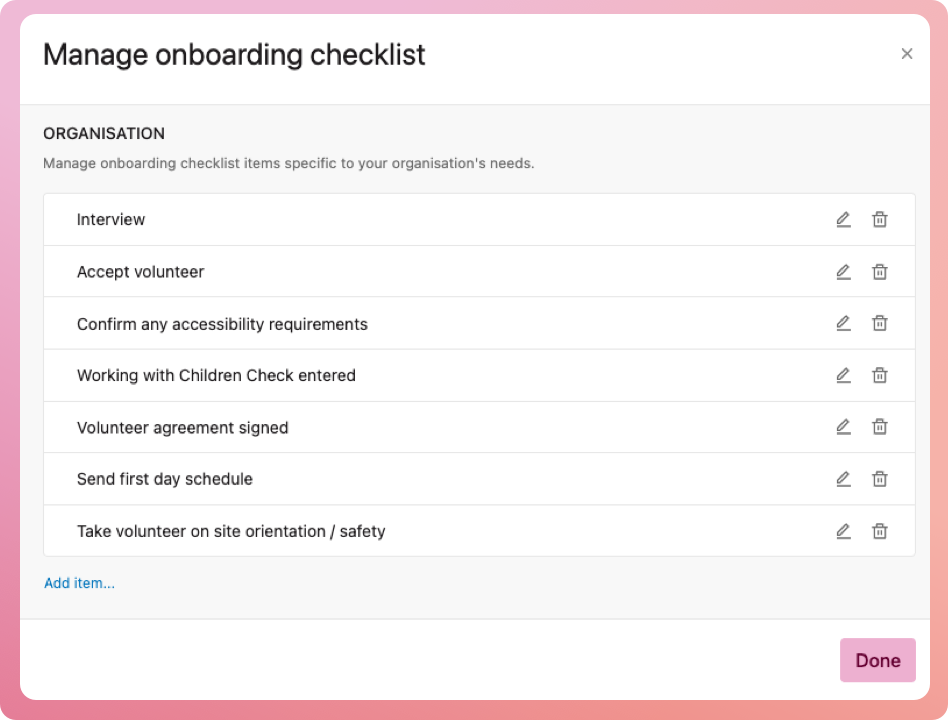
Note: if you add an item, all volunteers who were previously on 100% completeness will no longer be
Program-specific checklists
Premium users can also add an onboarding checklist per program if the program explicitly requires items that differ from your organisation's onboarding checklist.
For example, you are holding an event where a few ad-hoc volunteers are assisting, so they won't require an office induction, but they will need to attend an event briefing or be issued an access lanyard, etc.
You can manage the program checklist template for each program from the program menu.