
Staff permissions
How do I invite staff?
- Navigate to My Organisation
- Select the Invite staff button
- When the Invite staff modal appears, enter their details and select a role for them.
- Select the send button
⭐ Done! This person will receive an invite to your INVOLVE organisation.
Which role should I choose?
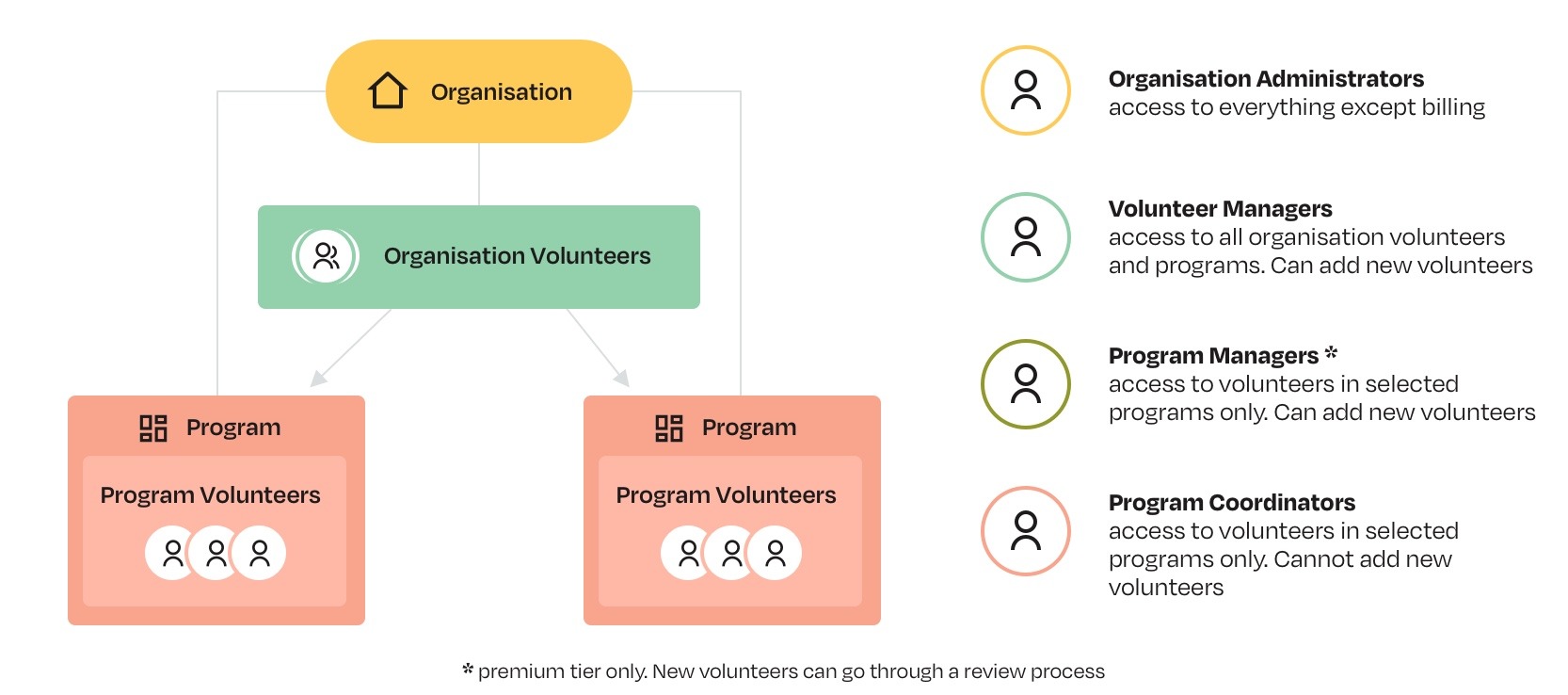
There are 4 levels of permissions to choose from:
Organisation Administrator
These staff members can access everything except the Billing information. They can see all volunteers and programs across your organisation, and access organisation settings and reporting. They can also invite more staff.
Key permissions:
| Organisation settings configuration | ✅ |
|---|---|
| Staff management | ✅ |
| Plan management | ❌ |
| Organisation deletion | ❌ |
Volunteer Manager
These staff members can access all volunteers and programs across your organisation, as well as organisation files and reporting. They can add new programs, assign Program Managers/Coordinators, and review volunteer candidates that a Program Manager may add. They cannot access the organisation settings or invite more staff.
Key permissions:
| Create new programs | ✅ |
|---|---|
| Assign staff to programs | ✅ |
| Create new volunteers | ✅ |
| Bulk import volunteers | ✅ |
| Search volunteers | ✅ |
| Manage volunteer record information | ✅ |
| Manage volunteer files | ✅ |
| Staff management | ❌ |
| Organisation settings configuration | ❌ |
Program Manager *
These staff members are restricted to a subset of programs. They can see all volunteers across these programs and add new volunteers with or without a review process. They can access only program reporting and manage a per-program onboarding checklist.
* Available for Premium tier plans
Key permissions:
| Only access a subset of programs | ✅ |
|---|---|
| Option for a review process when creating new volunteers | ✅ |
| Search volunteers | ✳️ Limited to own |
| Manage volunteer record information | ✳️ Limited to own |
| Manage volunteer files | ❌ |
| Create new programs | ❌ |
| Assign staff to programs | ❌ |
| Bulk import volunteers | ❌ |
Program Coordinator
These staff members are restricted to a subset of programs. They can see only the volunteers who are a part of the program and cannot add new volunteers.
Key permissions:
| Only access a subset of programs | ✅ |
|---|---|
| Search volunteers | ✳️ Limited to own |
| Manage volunteer record information | ✳️ Limited to own |
| Create new volunteers | ❌ |