Upcoming birthdays
Each program's overview features a handy card displaying the volunteers from that program who have a birthday coming up within the next 8 weeks. It will also give the age the volunteer is turning, so you know if it's a milestone one!
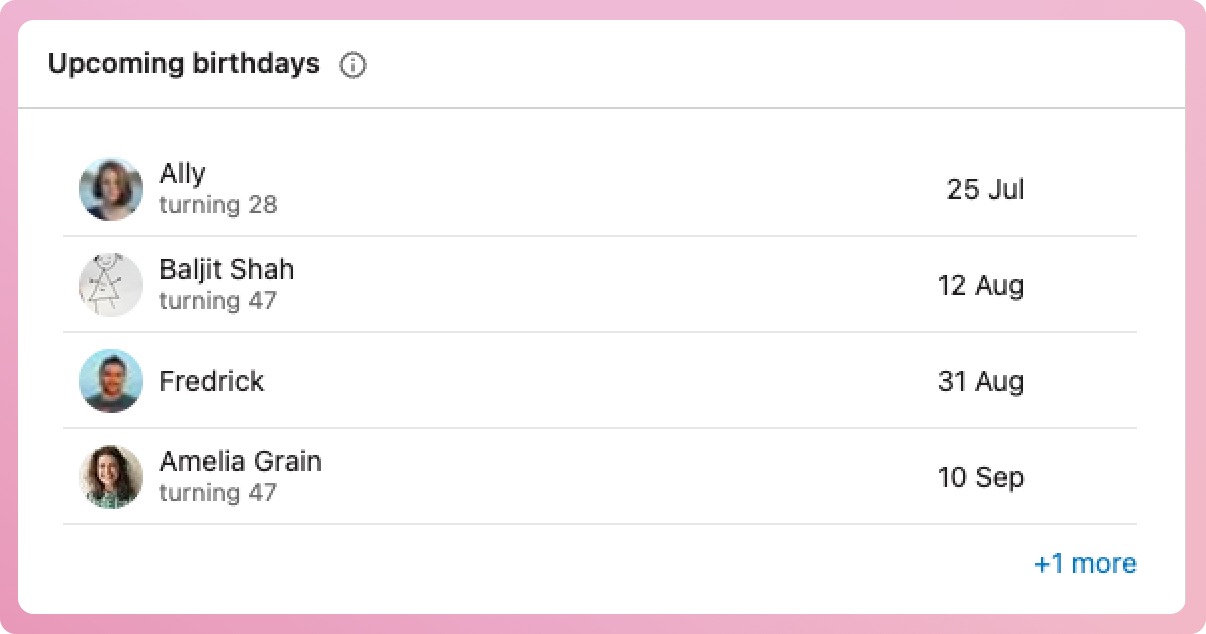
If there are more than four volunteers with upcoming birthdays, a link at the bottom right-hand side of the card will appear linking to a complete list.
Good to know: Staff users with access to My Organisation will have access to one that displays upcoming birthdays for all volunteers across the organisation.
Where does the information come from?
The information comes from each volunteer's date of birth.
How to add a volunteer's date of birth from a program
-
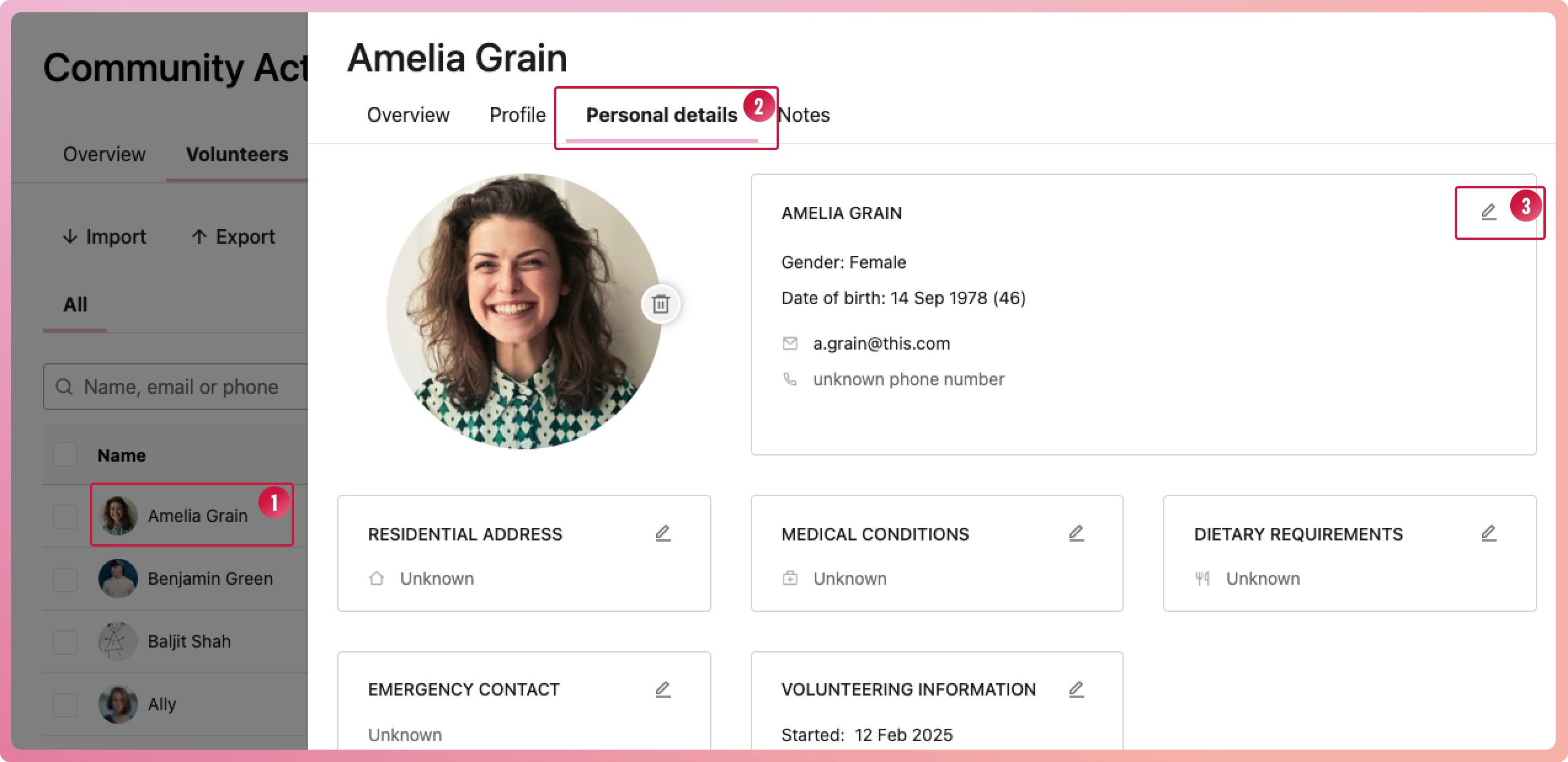
Select the volunteer to bring up their profile
-
Navigate to the Personal details tab
-
Select the edit icon located in the upper right-hand side of the basic details box.
-
When the modal appears, enter their date of birth. The year is needed to calculate the age, but it is optional.
-
Select the Save button at the bottom of the modal to finalise.
How to add a volunteer's date of birth from My Volunteers
Note that Program coordinators and Program managers do not have access to My Volunteers.
-
From My Volunteers, select the volunteer to bring up their profile
-
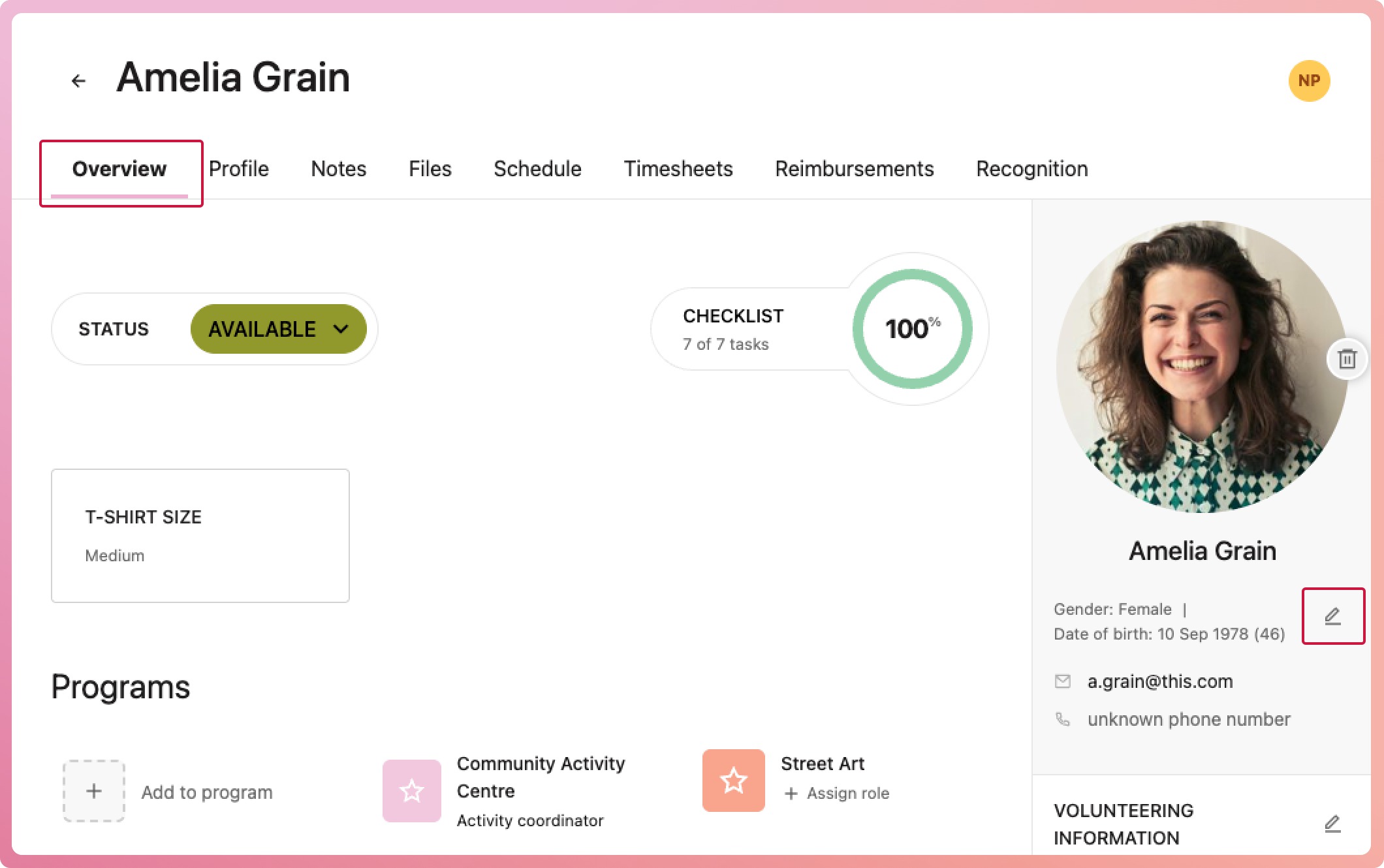
On the right-hand side of the volunteer's overview tab, select the edit icon located near their basic information below the profile photo
-
When the modal appears, enter their date of birth. The year is needed to calculate the age, but it is optional.
-
Select the Save button at the bottom of the modal to finalise.