
Archive a volunteer
How to archive a volunteer
-
Navigate to My volunteers
-
Find the volunteer who is to be archived
-
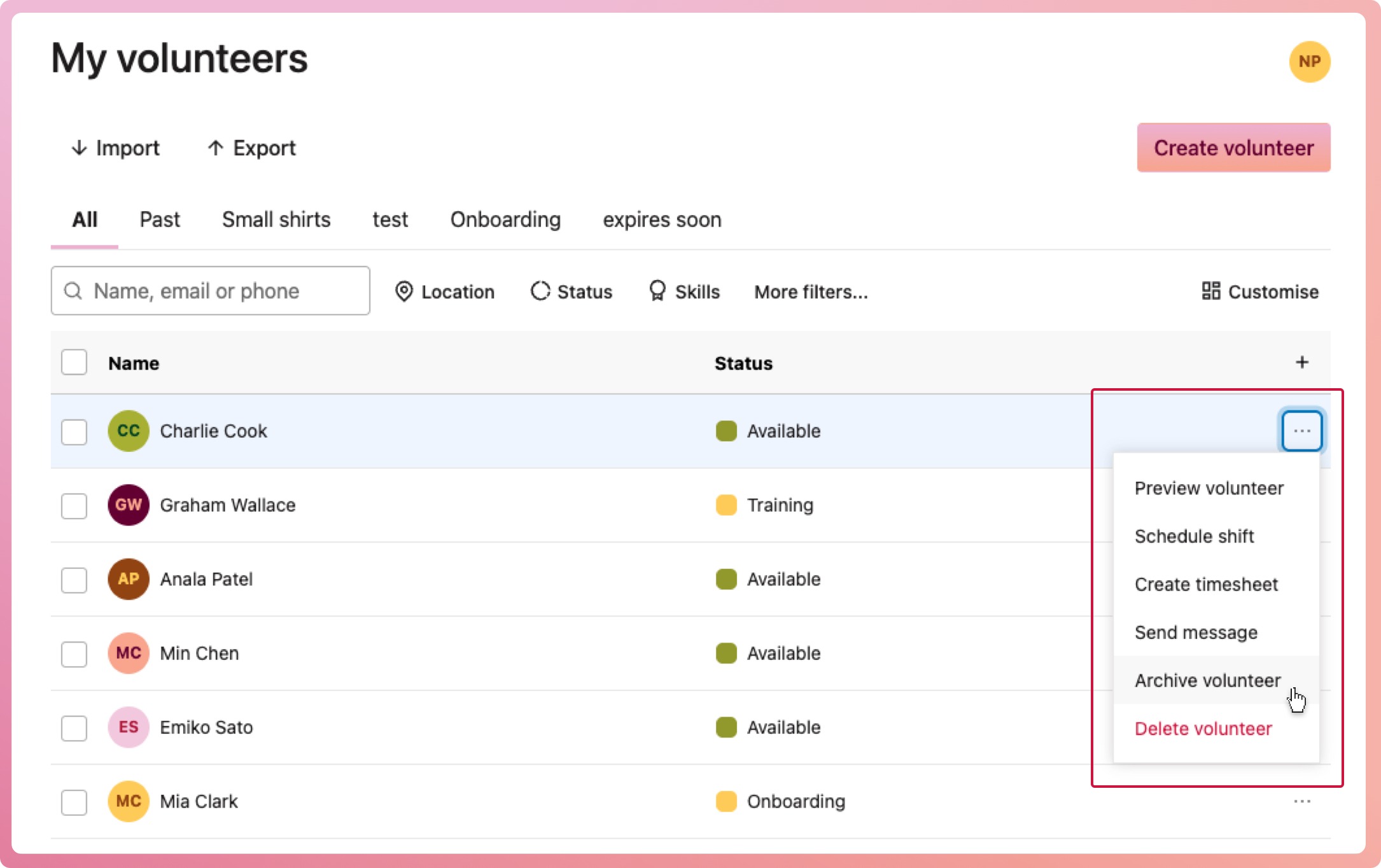
Select the context menu button (three dots) located on the right-hand side of their row, then select Archive volunteer
-
When the confirmation modal appears, select Archive volunteer
Your volunteer has now been removed from any program they are involved in, including any future shifts.
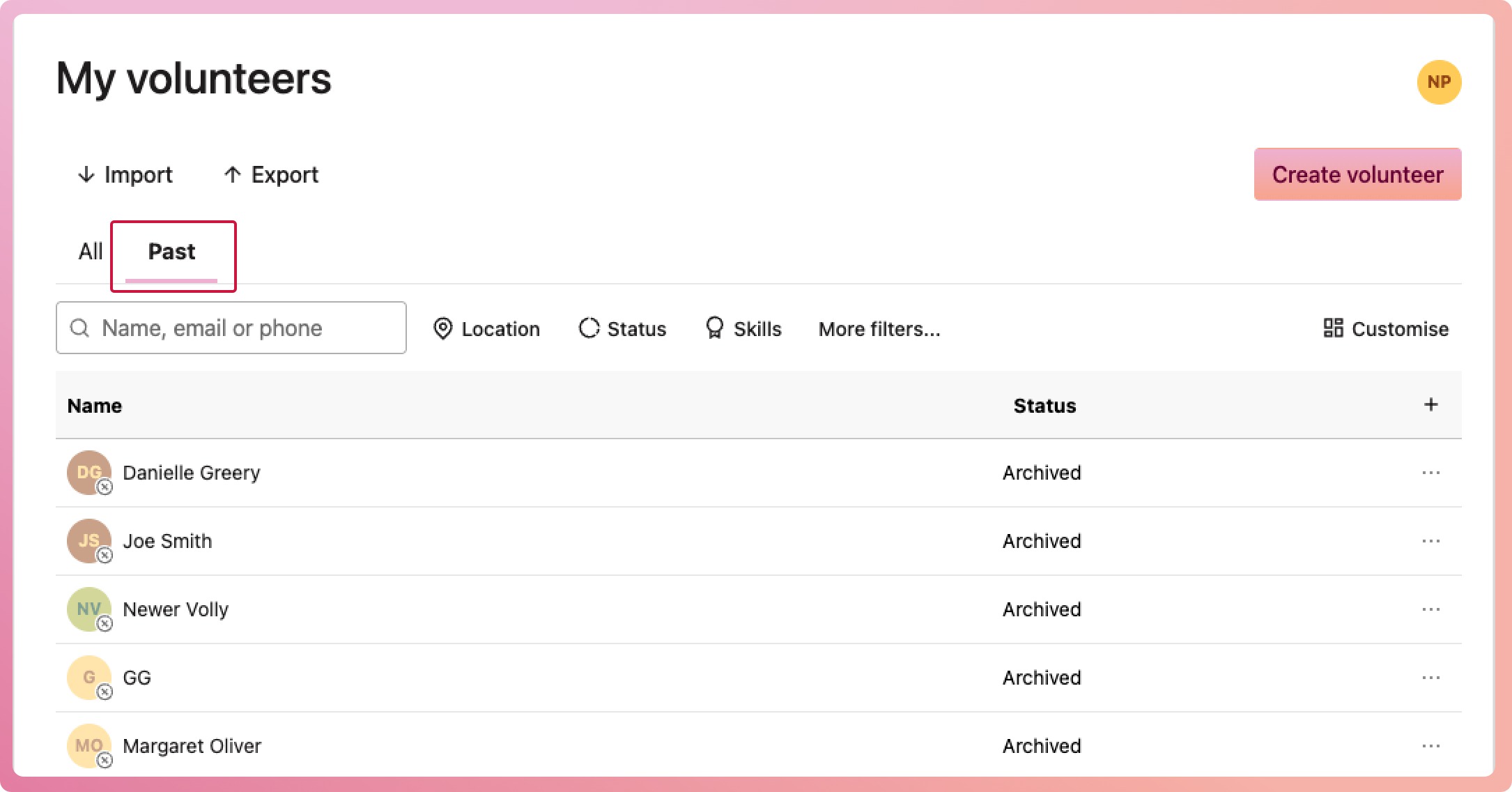
You can see an archived volunteer in the Past list. They are marked with an x over their avatar. You can restore them from this list at any time.
Note: If your role is Program Coordinator or Program Manager, you will not be able to archive volunteers
How to archive multiple volunteers at once
-
Navigate to My volunteers
-
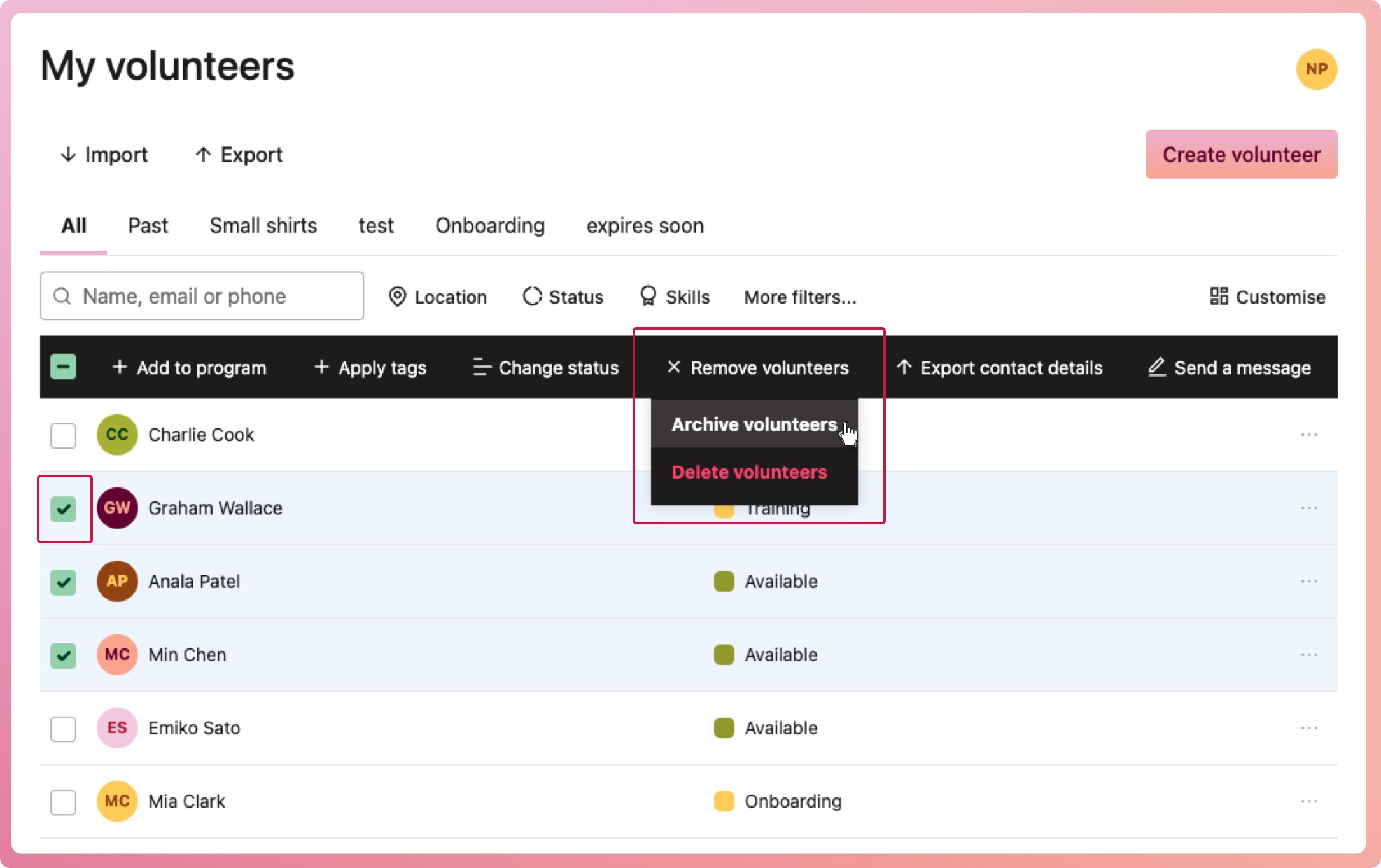
Select each volunteer who is to be archived by clicking the checkbox on the left-hand side.
-
From the "bulk action" bar that appears, select Remove volunteers and then Archive volunteers
-
When the confirmation modal appears, select Archive volunteers
What happens to archived volunteers
All archived volunteers will:
-
Be removed from the programs they were participating in
-
Have all their future shifts removed, and assigned slots from an open shift will be released
-
No appear on searches or lookups
-
Remain in historical reports
-
Have their timesheets retained
-
Appear with a faded avatar and an x over it to visually show they have been archived
-
No longer count towards your organisation's volunteer count
-
Have the option to be restored