Uploading and storing files
INVOLVE allows you to store files in three main areas: organisation, program, and the volunteer record. This help article refers to files stored at the organisation-level.
What type of files can be stored?
Image file types allowed:
.jpg, .jpeg, .png, .gif, .webp
Document file types allowed:
.pdf, .doc, .docx, .xls, .xlsx, .csv, .txt, .ppt, .pptx
Upload a file
Upload a file at the organisation level when the document relates to many volunteers and/or programs, such as a policy document. These can be shared with your program coordinators. Upload a document at the program level when it pertains only to the program and its volunteers, such as specific safety procedures. Upload a document to the volunteer's record only when it relates to that volunteer, such as their signed agreement.
- Navigate to where you need the file stored (My organisation, the program or volunteer record) and select the Files tab
- Select the upload button, then select the upload file link from the menu
- Select your file and select Upload
Share an organisation document with your programs
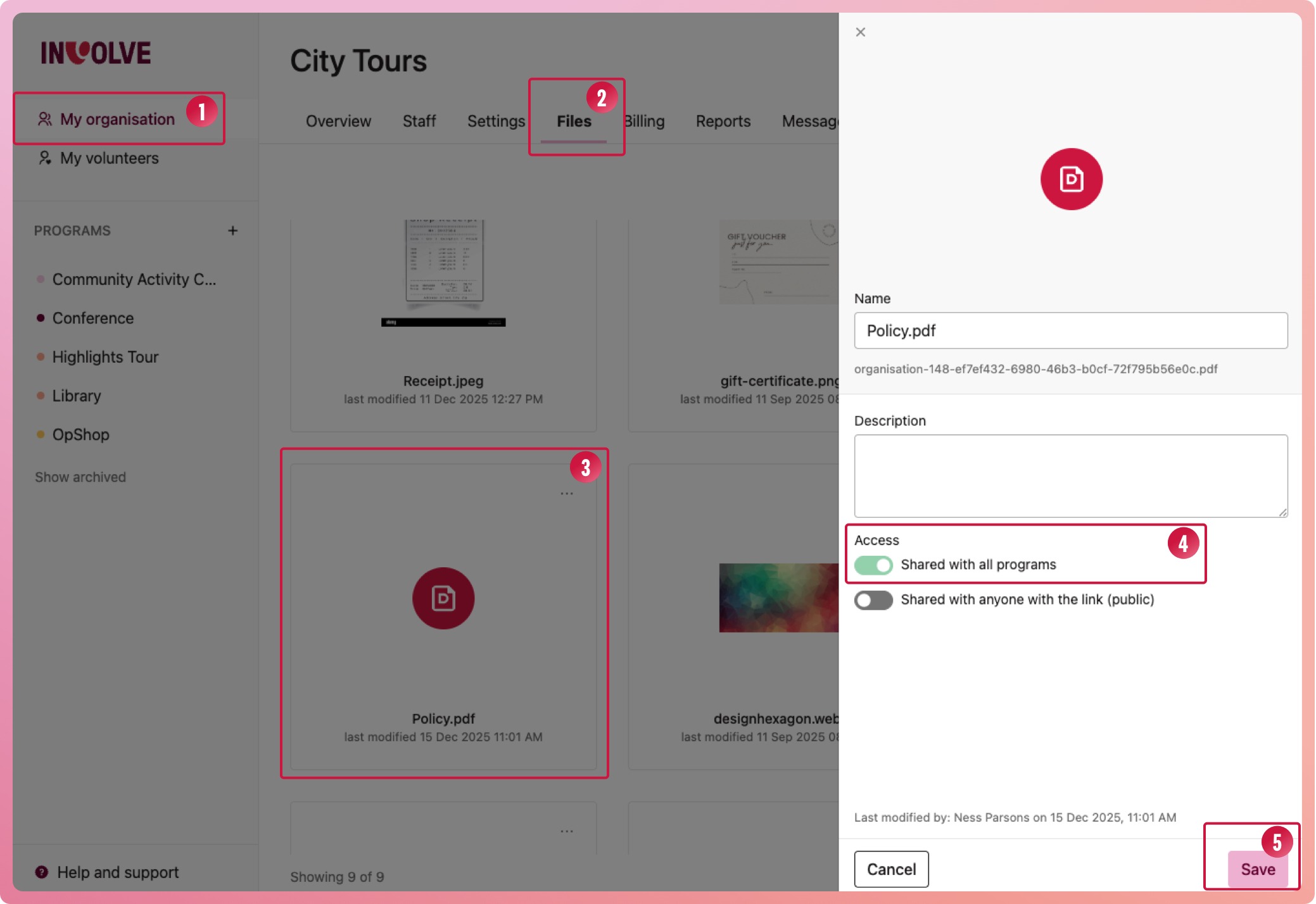
- Navigate to My Organisation
- Select the Files tab
- Select the document, and when the off-canvas slide-out appears, select the edit icon
- Under Access, turn on the Shared with all programs switch (so it turns green)
- Select the Save button at the bottom of the slide-out
This document will now appear in each program's Files tab, marked as a globally shared document.
Turn off the sharing by switching the switch to grey
Note: Program Coordinators will not be able to access organisation files that are not shared with programs
Share a document with volunteers
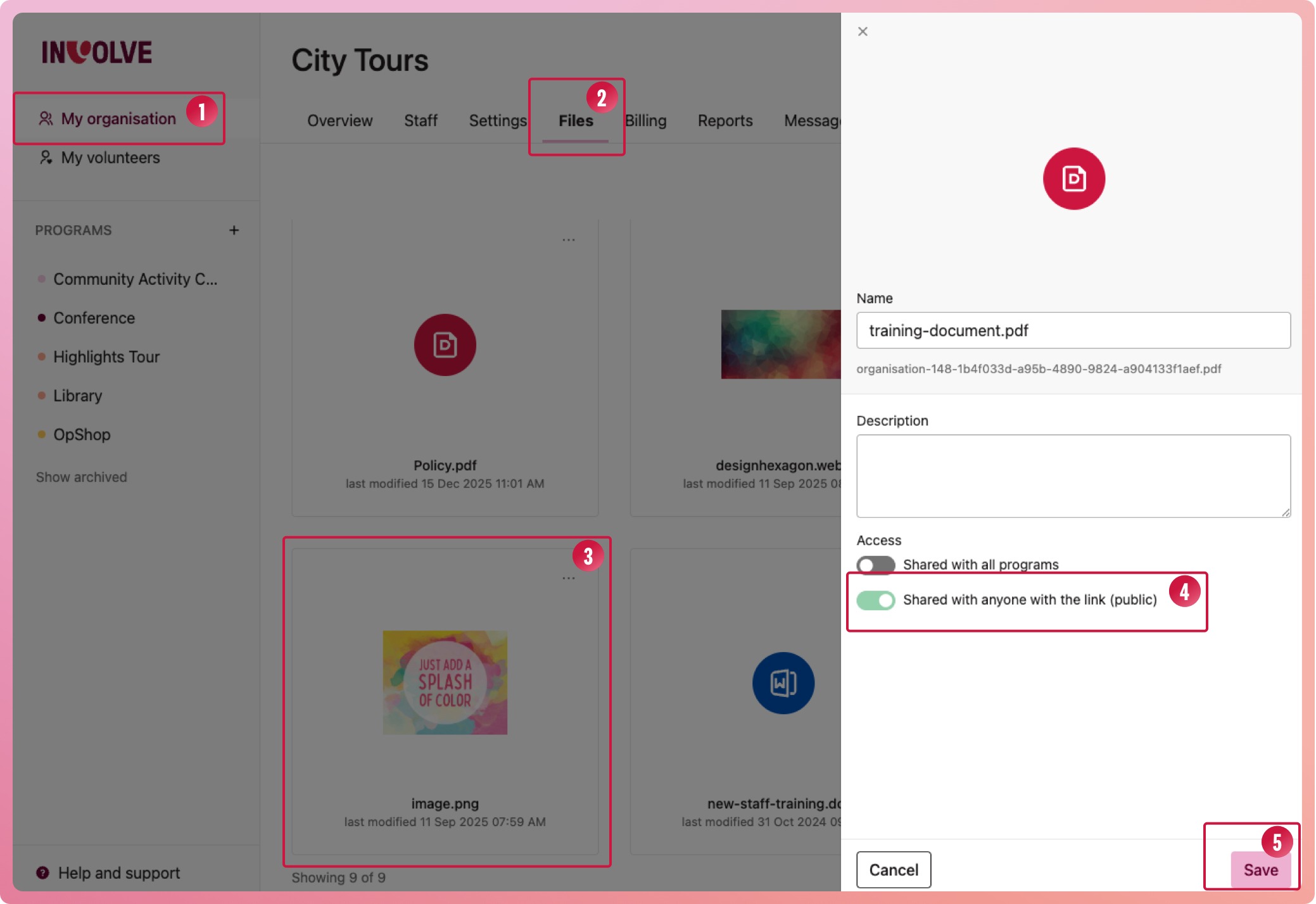
Allow a document to be shared with people who do not have access to INVOLVE by turning on its public access
- Navigate to My Organisation
- Select the Files tab
- Select the document, and when the off-canvas slide-out appears, select the edit icon
- Under Access, turn on the Shared with all programs switch (so it turns green)
- Select the Save button at the bottom of the slide-out
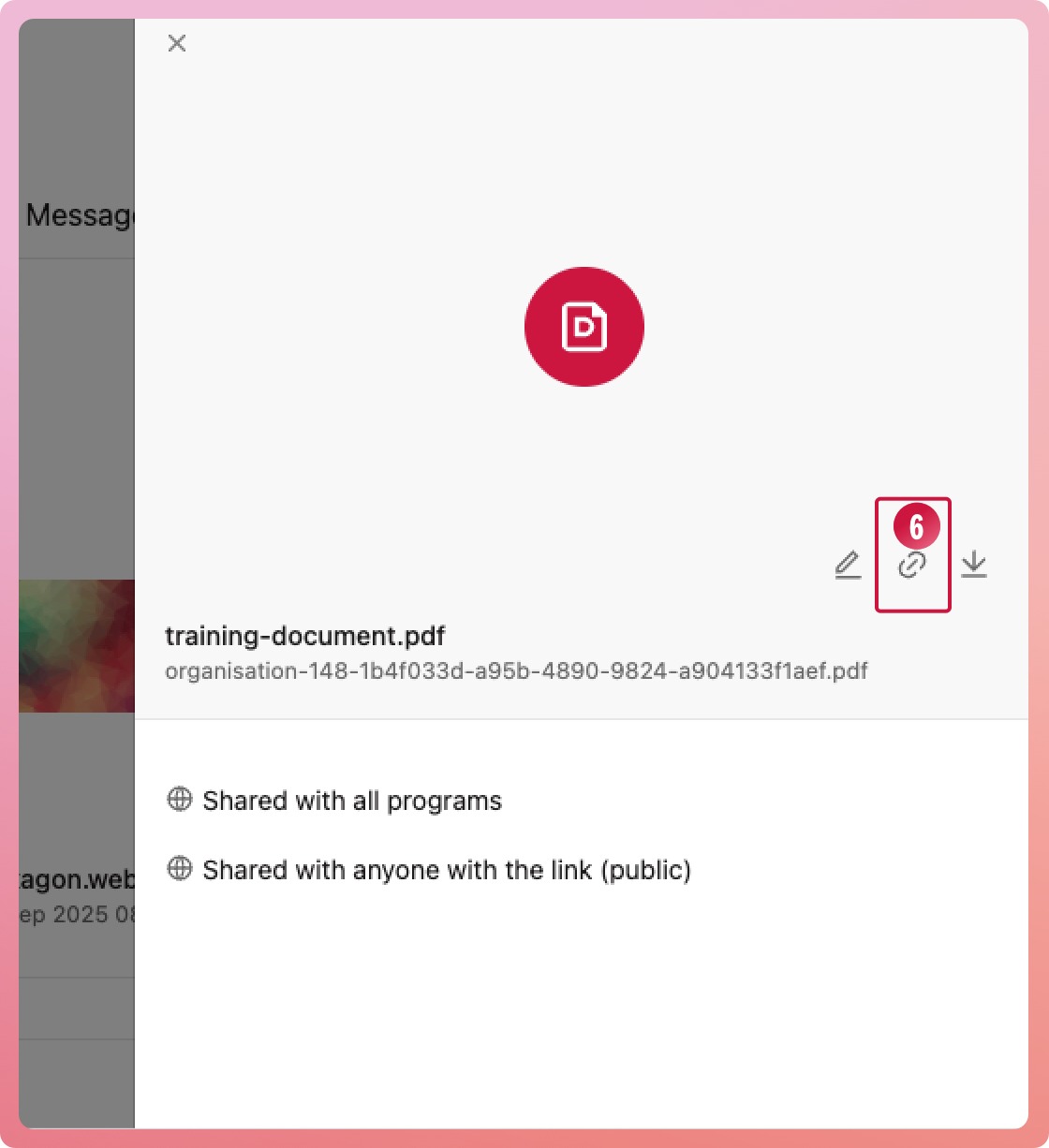
- Select the link icon (next to the edit icon) to copy the public URL. You can now paste this into a message for volunteers to view.