Delete volunteer files
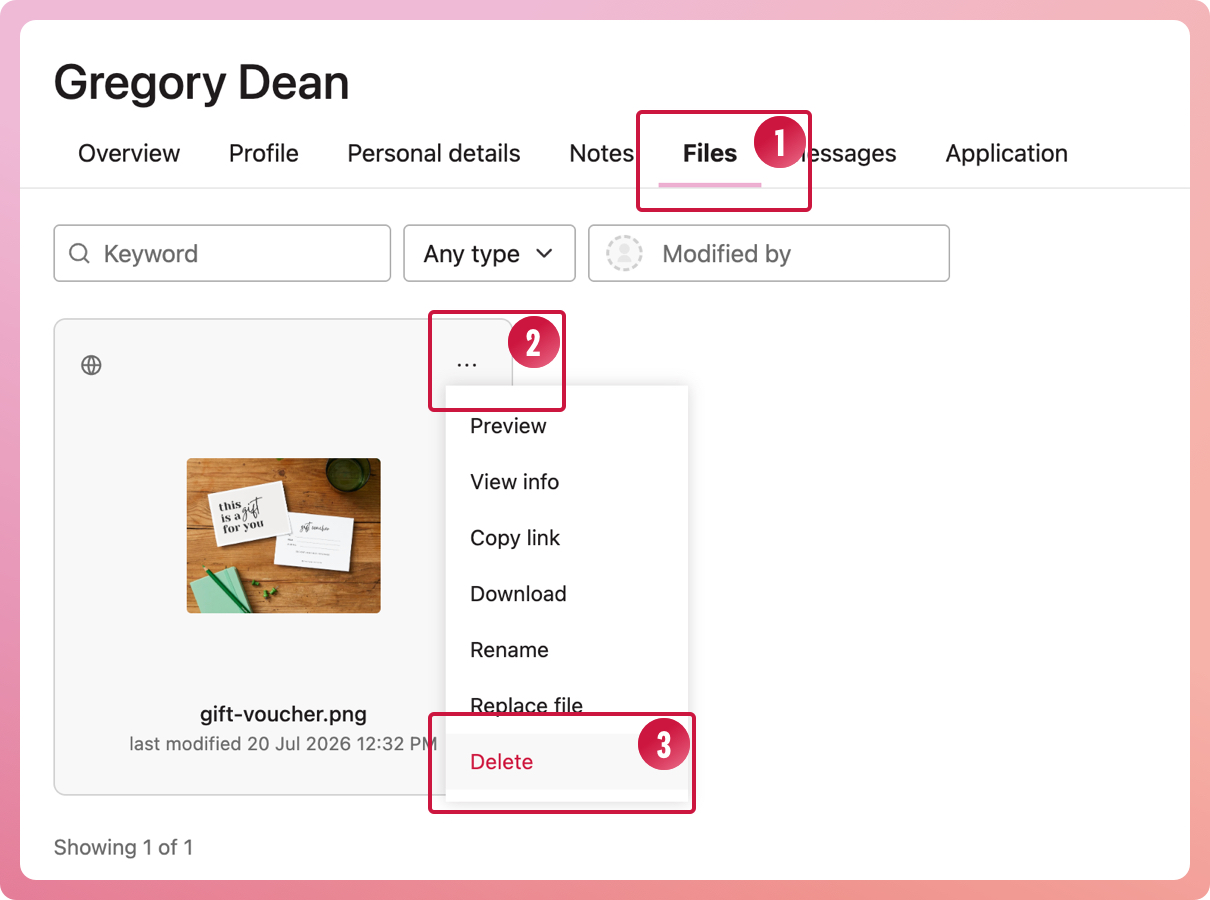
Delete files stored on a volunteer's file:
- Bring up the volunteer's profile and navigate to the Files tab
- Locate the file to be deleted and select the three-dot icon to activate the context menu
- Select Delete from the menu

Delete files stored on a volunteer's file: