
Add general and confidential notes
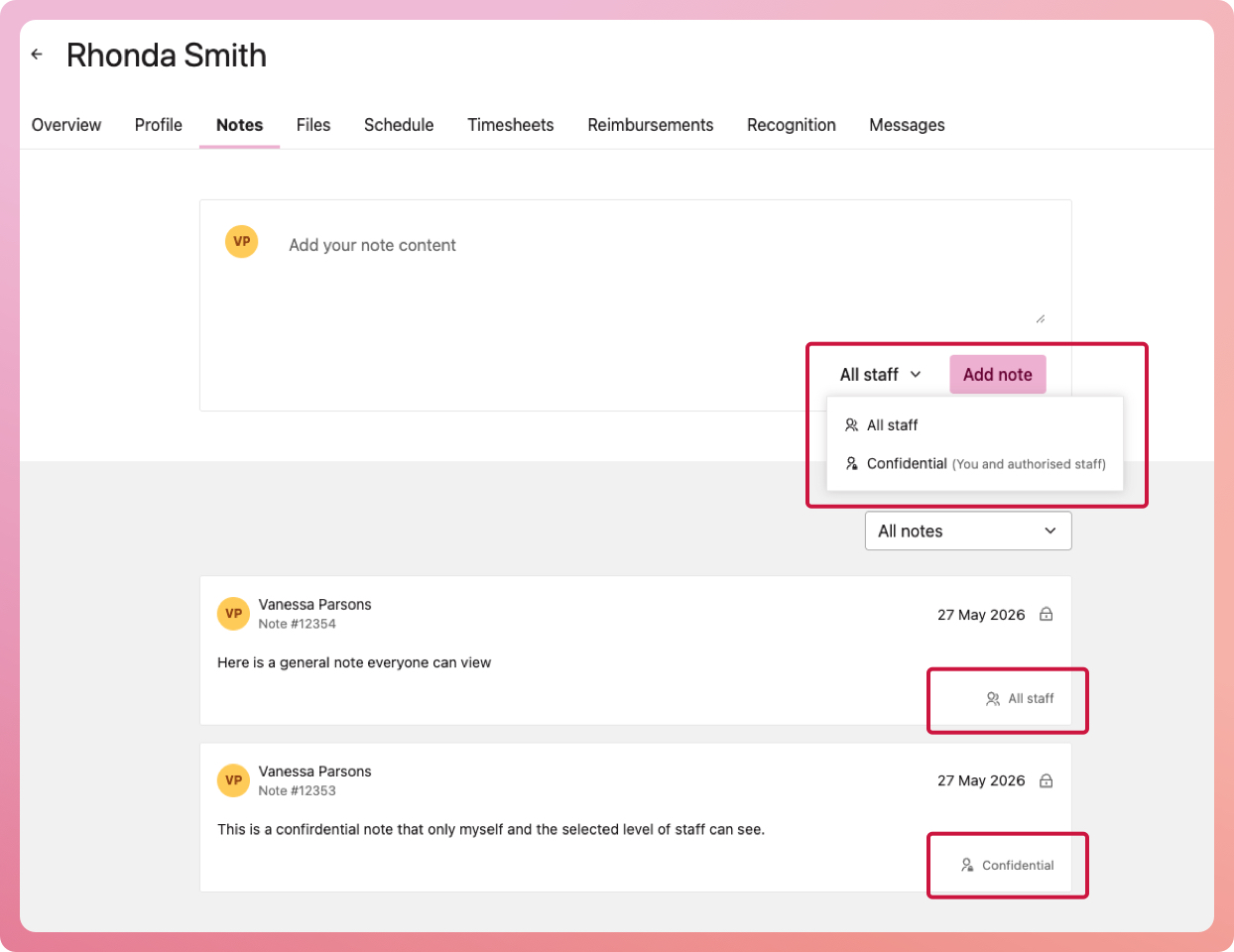
You can add two types of notes on a volunteer: a general note that each staff member with access to the volunteer's record can see, and confidential notes that are visible only to the author (you) and staff members with permission.
Adding notes to a volunteer's record
- Navigate to your list of volunteers (either My Volunteers or Program volunteers)
- Select a volunteer to bring up their record and select the Notes tab
- Besides the 'add note' button, you have a dropdown option to select All staff or Confidential
How to set who has permission to confidential notes
Confidential notes ensure better privacy when recording sensitive details.
- Navigate to My Organisation and select the Settings tab
- Under 'Security & Permissions, select Confidential notes
- When the modal appears, select the permission level from the dropdown
- Select the submit button to finalise
Confidential notes are visible to staff who have the correct permission level AND the author of the confidential note, even if the author wouldn't have permission to other confidential notes.