
Volunteer record overview
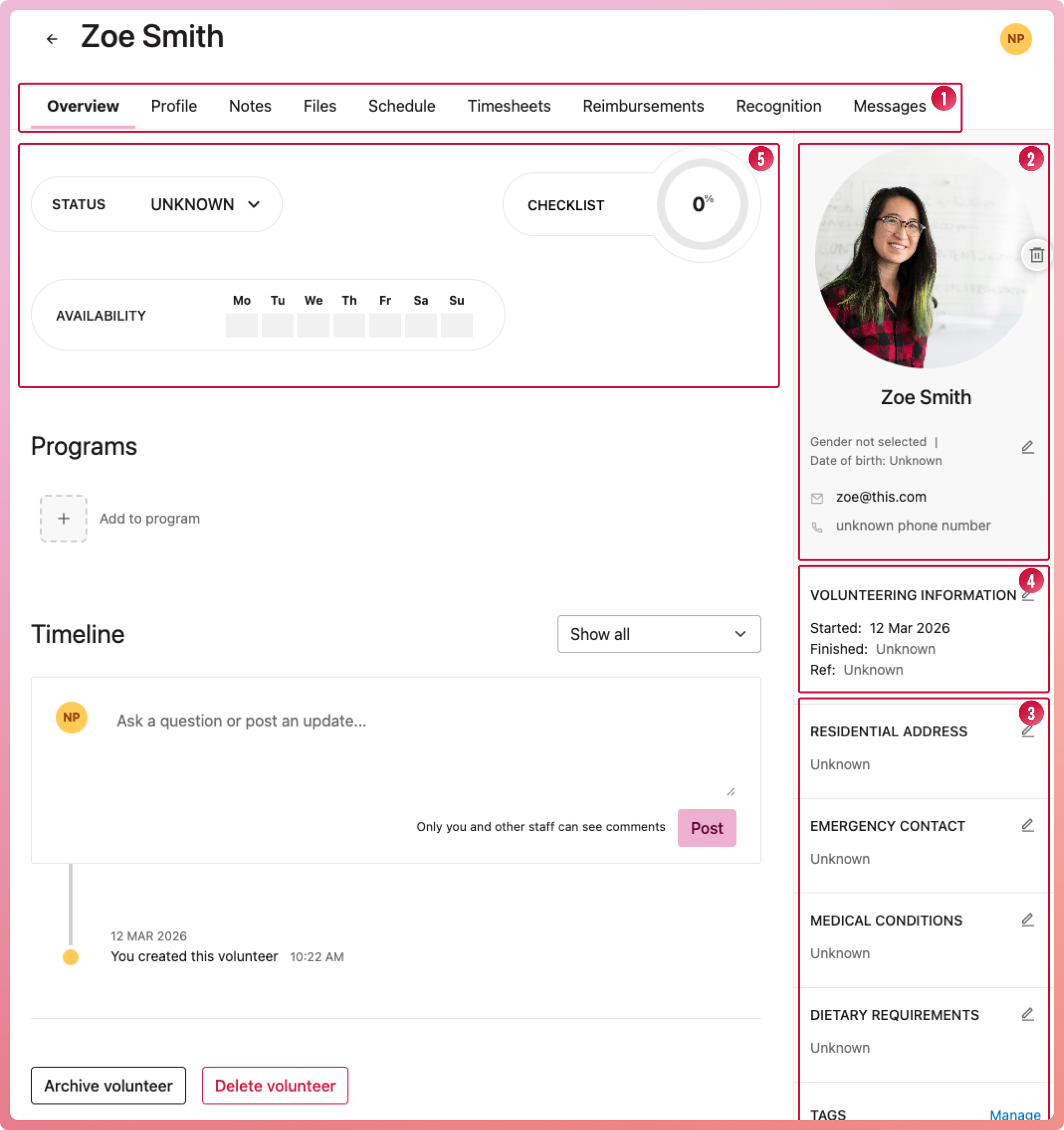
Once you have added your volunteer, you can select them from the list to open their record and add as much or as little information as needed or is available. Each volunteer has a sub navigation (1) of tabs to house their full record. Their personal data is stored in four of these tabs:
- Overview - includes the volunteer's identifying information, such as their name, email, date of birth, and avatar (2), as well as personal details like their address, emergency contacts, and dietary requirements (3), and their volunteer tenure (4). It also shows their availability, status, and checklist progress (5), as well as the programs they are part of.
- Profile - has the volunteer's detailed information, such as skills, interests, volunteering and work experience, education, certificates, and a log of training they receive.
- Notes - can be used in numerous ways, and only you and your staff can see them.
- Files - Option to upload any documents associated with the volunteer, for example, their completed volunteer agreement. We discourage uploading anything personal, like copies of identity documents.
The other five tabs relate to their volunteering with your organisation and will be populated as they go:
- Schedule - all shifts assigned to the volunteer can be viewed and edited from here
- Timesheets - all timesheets added for volunteering hours can be viewed and edited here.
- Reimbursements - all reimbursements paid to the volunteer are stored here
- Recognition - any achievement or awards given to the volunteer to recognise the volunteering they have done
- Messages - any correspondence sent to this volunteer from INVOLVE
If needed, you can import old timesheets, reimbursements, and recognitions into the relevant tabs.