Set volunteers as away
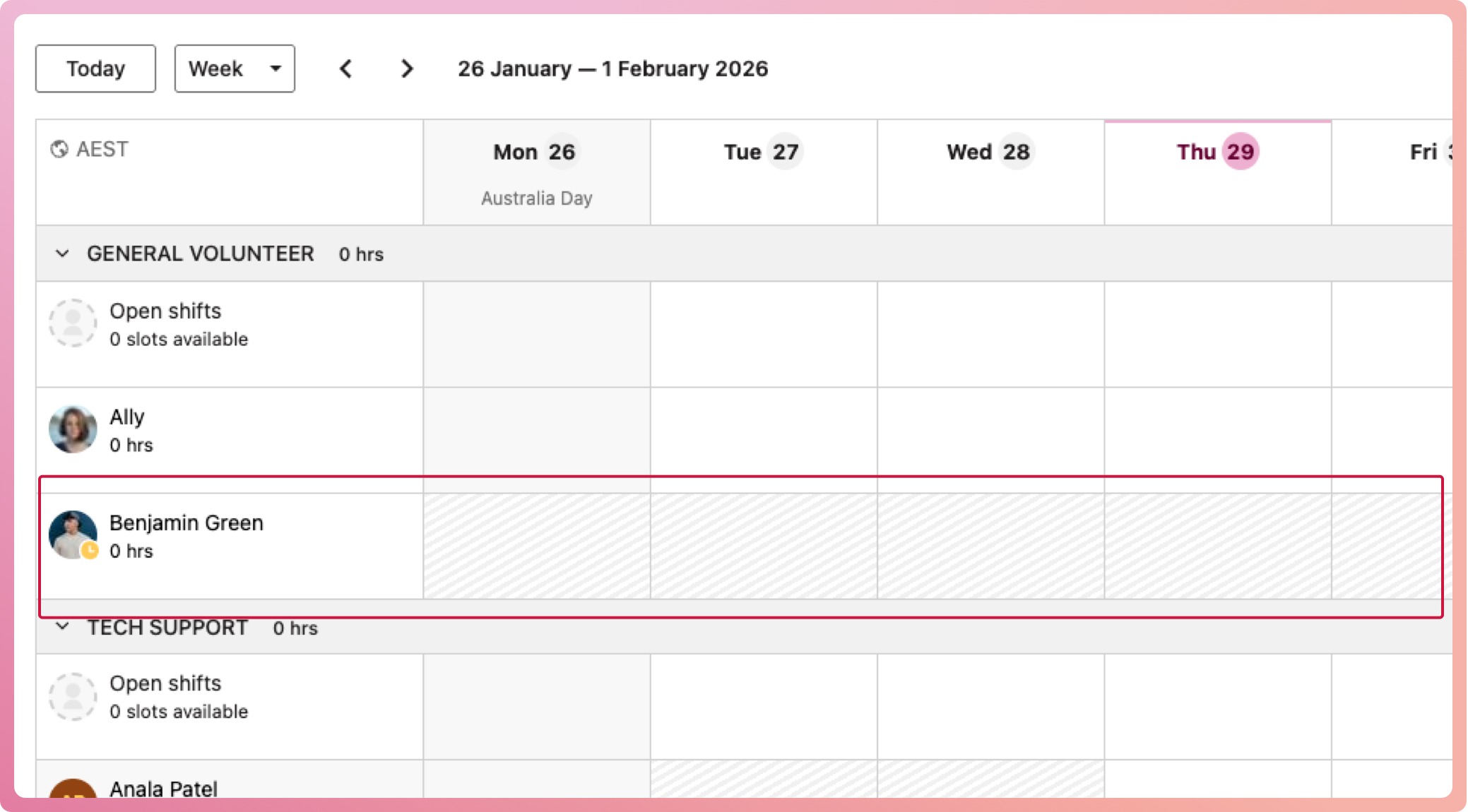
You can mark volunteers as away, helping you better understand availability and improve scheduling. You can set this with or without dates, and away periods appear greyed out on their schedule.
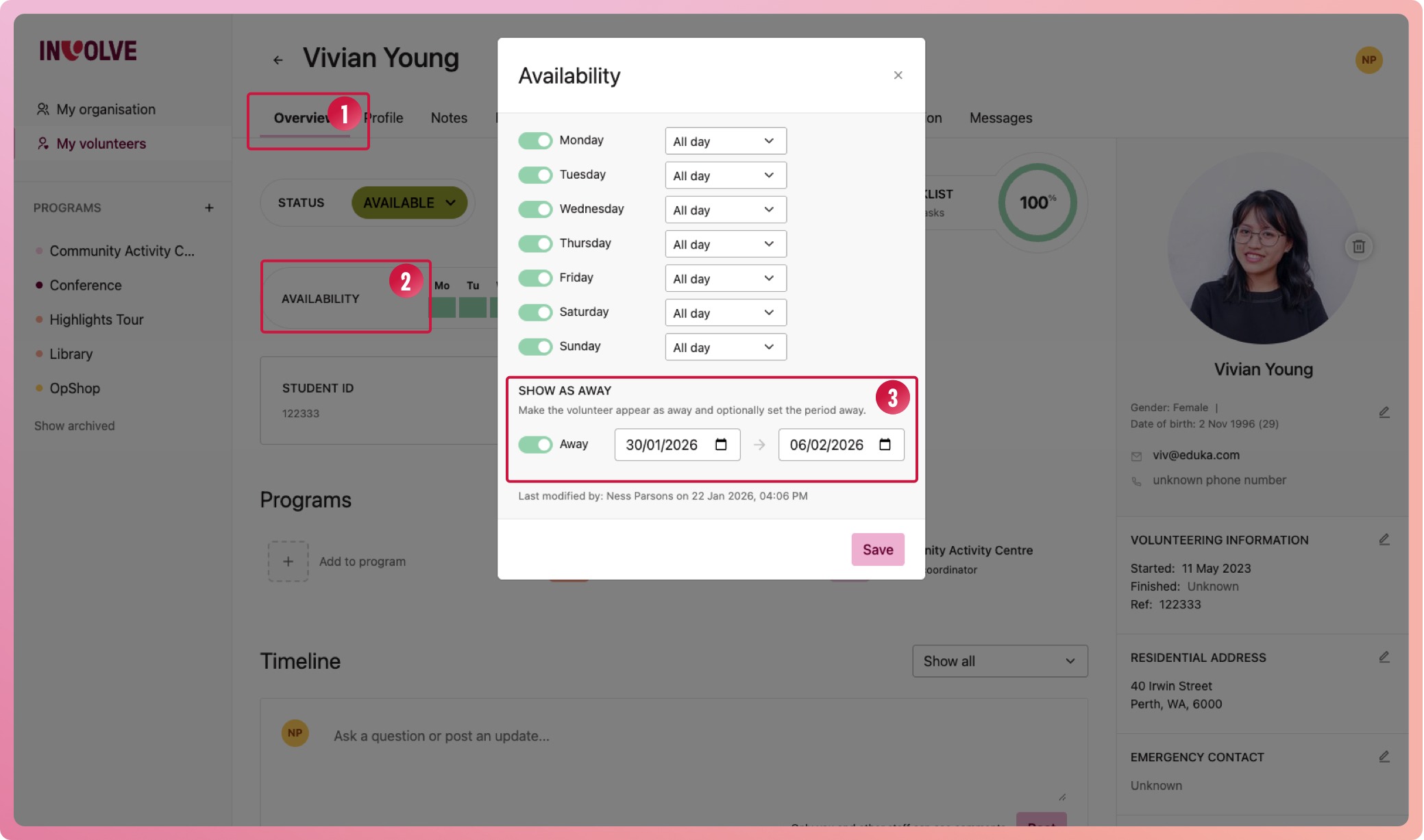
- Navigate to a volunteer's profile overview
- Select their availability area to bring up their availability modal
- At the bottom, switch on the Away toggle
- Enter the dates the volunteer will be away for (or leave blank if unknown)
- Select the Save button
You will now see their away period on their overview and their schedules. While away, the volunteer will have a new icon on their avatar to indicate so. While the schedule is greyed out, it will serve only as a visual indicator and will not prevent you from scheduling them during this time.
If you entered an end date, the away state will automatically switch off; otherwise, select the volunteer's availability again and switch it off manually.