
Why can't I see expired certificates?
What's changed
We are now tracking the issue date for two of the three default certificate types: National Police Clearances and First Aid Certificates. When you go to add one of these certificates, you will notice we have switched the expiry date field to an issue date field.
By default:
-
First Aid Certificates will appear on the expired certificates list three years after the entered issue date.
-
National Police Clearances will appear on the expired certificates list one year after the entered issue date
You can change these default timeframes in your organisation settings.
Why it changed
National Police Clearances and First Aid Certificates only have issue dates, not expiry dates printed on them. We wanted to make it easier and more consistent for all volunteer managers to add these certificates. Previously, those who added the certificate had to calculate the 'expiry' based on the organisation's policy, which could have resulted in miscalculations.
If the organisation's policy changes, let's say you now need to renew Police Clearances every 3 years, not 5, it can now be done with one setting change, rather than updating all volunteers' certificates one by one.
Migration Process
We have not migrated any of your data (i.e., automatically calculated your issue date from your expiry date), as each organisation has a different method for determining when it needs to be renewed.
As an interim measure, we have retained the expiry field on all current Police Clearance and First Aid certificates. This will help you identify what needs to be changed.
👉🏼 Next Steps
1. Identify which volunteers have First Aid certificates
-
Navigate to 'My Volunteers'
-
Select the More filters... button
-
When the slide-out appears on the right, open the certificates area
-
Search for First Aid Certificate with Any status then select the Filter button
This will give you a list of volunteers who have a First Aid certificate on their profile
2. Change the expiry date to an issue date
-
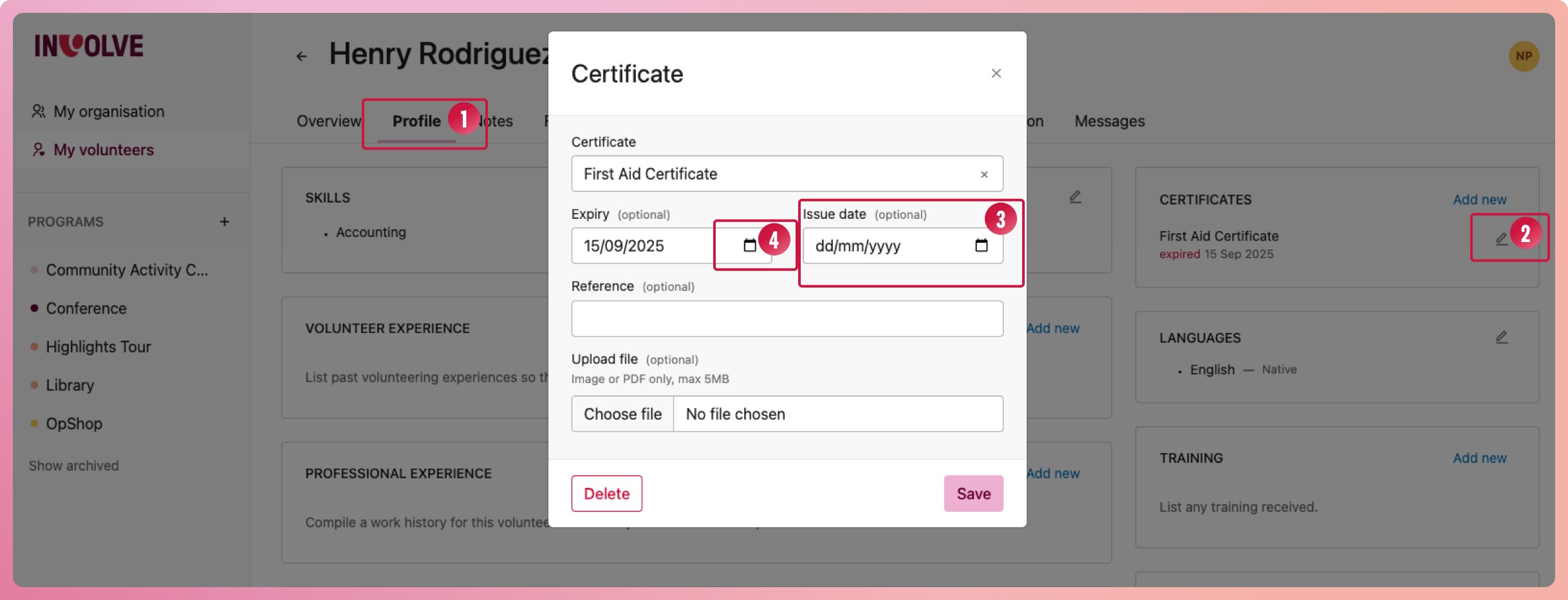
Select the first volunteer on the list, and then select their profile tab
-
Edit the First Aid certificate by selecting the pencil icon next to the certificate
-
Enter the issue date of their certificate
-
Clear the expiry date by selecting the calendar icon in the input and selecting the Clear link in the pop-up
-
Repeat for the rest of your volunteers
3. Identify and change the National Police clearance dates
Repeat the first two steps for National Police clearances
4. Set your organisation's notification settings for these certificates
-
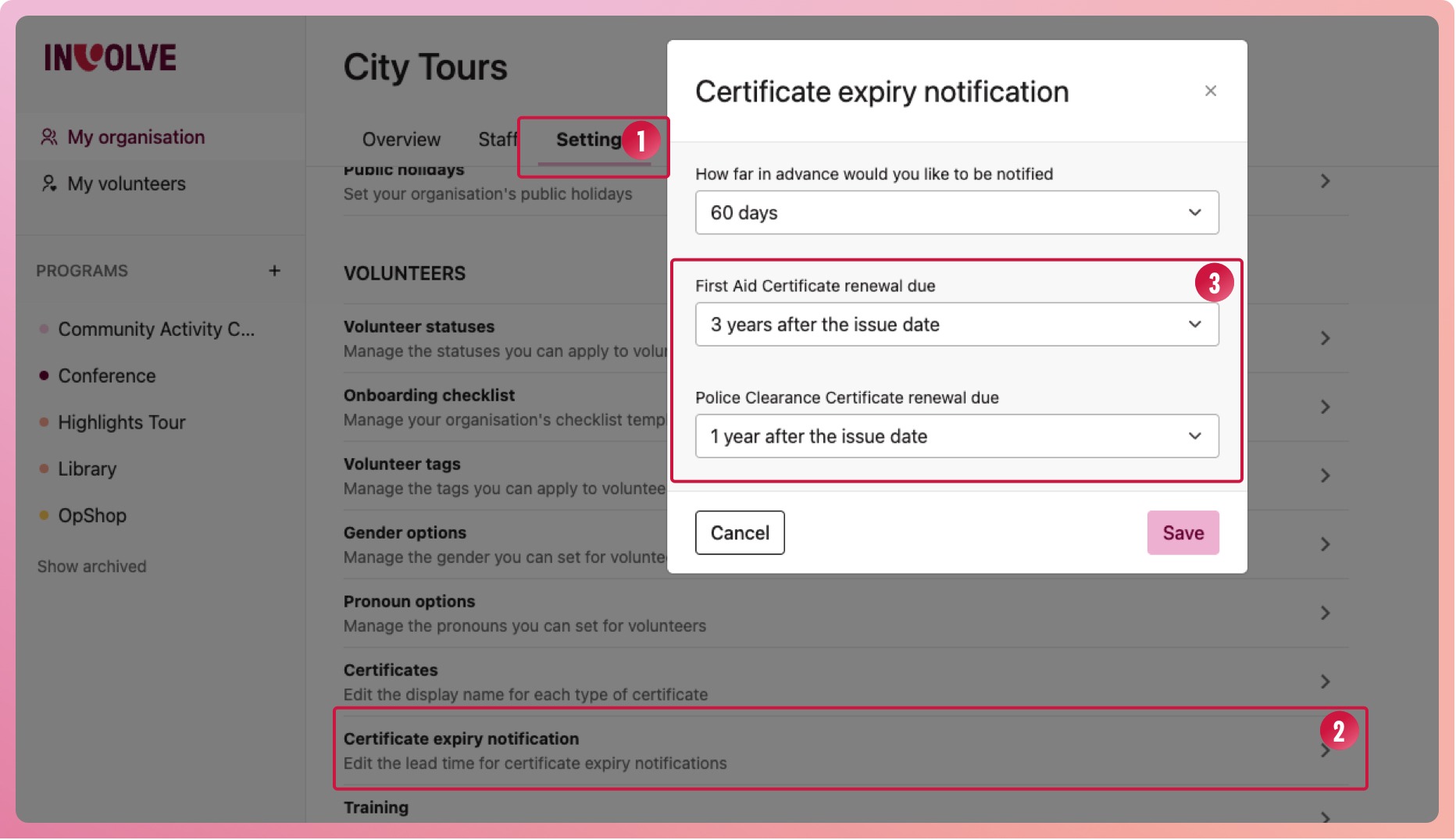
Navigate to My Organisation and select the Settings tab
-
Scroll down the list under Volunteers and select Certificate expiry notification
-
When the modal appears, select from the dropdowns when you would like these certificates to be renewed
-
Select the Save button
🛟 Need assistance?
We understand that some organisations will have a lot of certificates that need updating. If this is you, please reach out to our support team, and we can help you change these over.