
January 2026 release notes
Starting the new year off with a few updates that many customers have asked for. Thank you for your feedback to make managing volunteers easier for everyone
✨ New Features
✨ Set volunteers as away
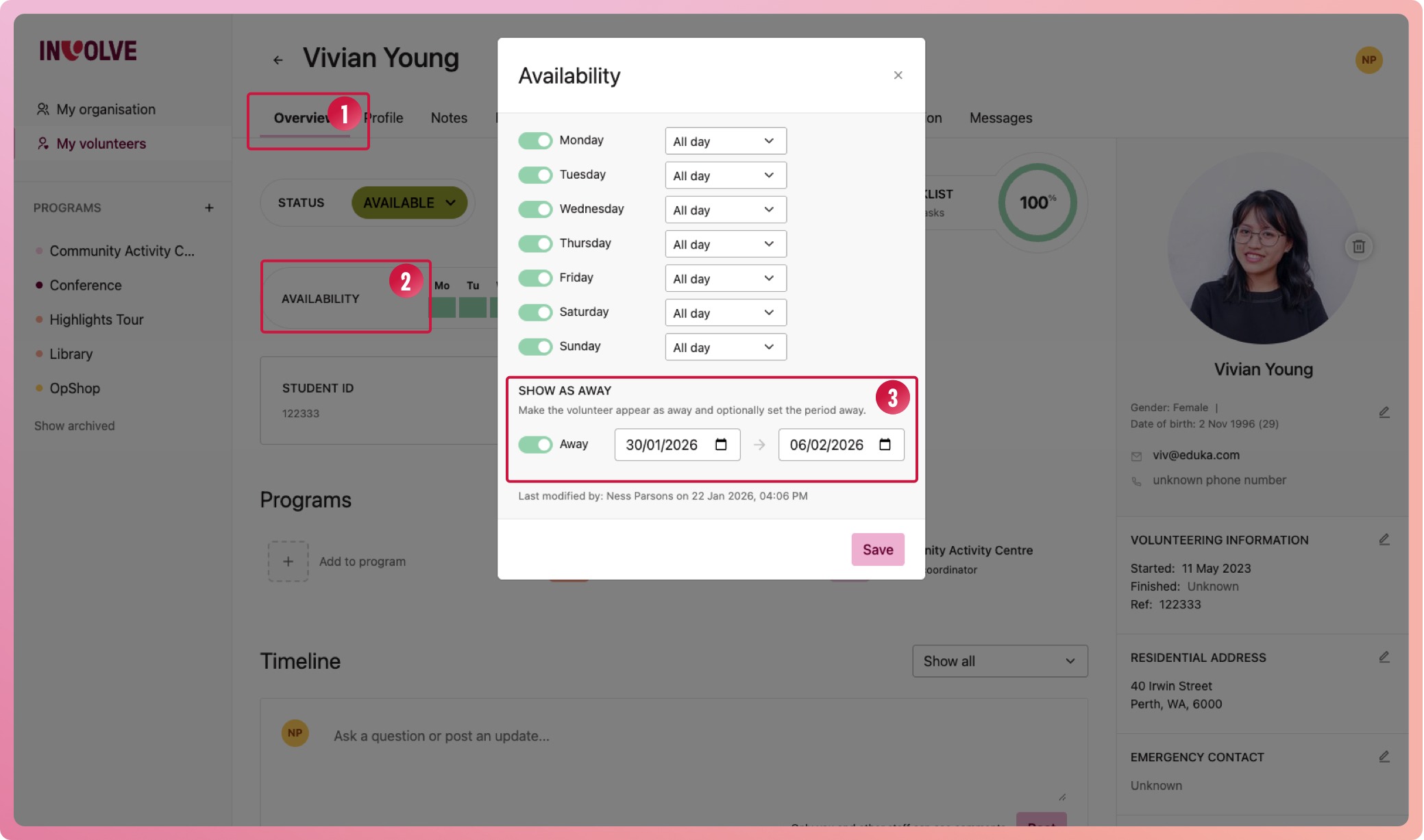
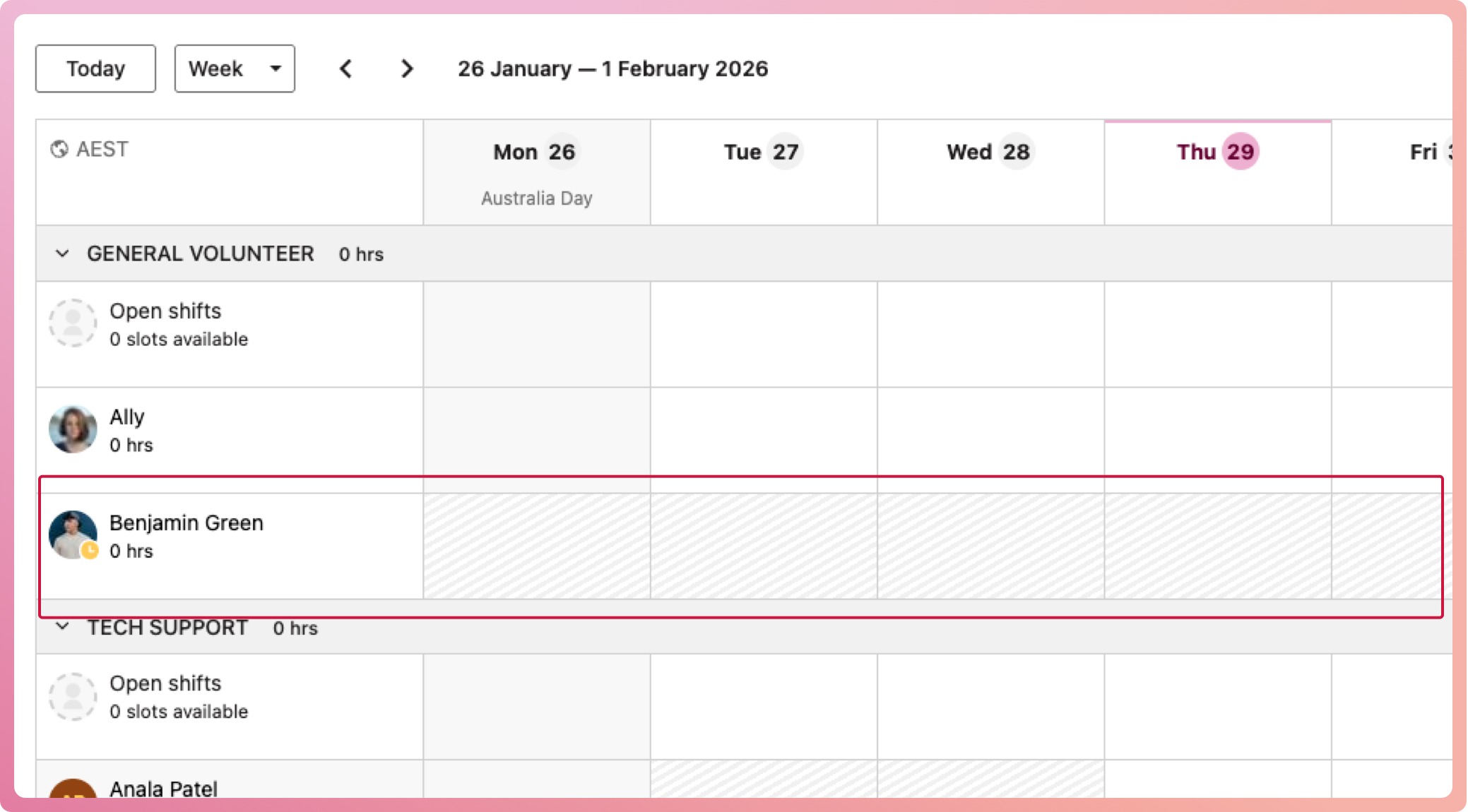
You can now mark volunteers as away, helping you better understand availability and improve scheduling. You can set them with or without dates, and away periods appear greyed out on the schedule.
Have a look:
-
Navigate to a volunteer's profile overview
-
Select their availability area to bring up their availability modal
-
At the bottom, switch on the Away toggle
-
Enter the dates the volunteer will be away for (or leave blank if unknown)
-
Select the Save button
You will now see their away period on their overview and their schedules. While away, the volunteer will have a new icon on their avatar to indicate so. While the schedule is greyed out, it will serve only as a visual indicator and will not prevent you from scheduling them during this time.
If you entered an end date, the away state will automatically switch off; otherwise, select the volunteer's availability again and switch it off manually.
✨ Customisable Export
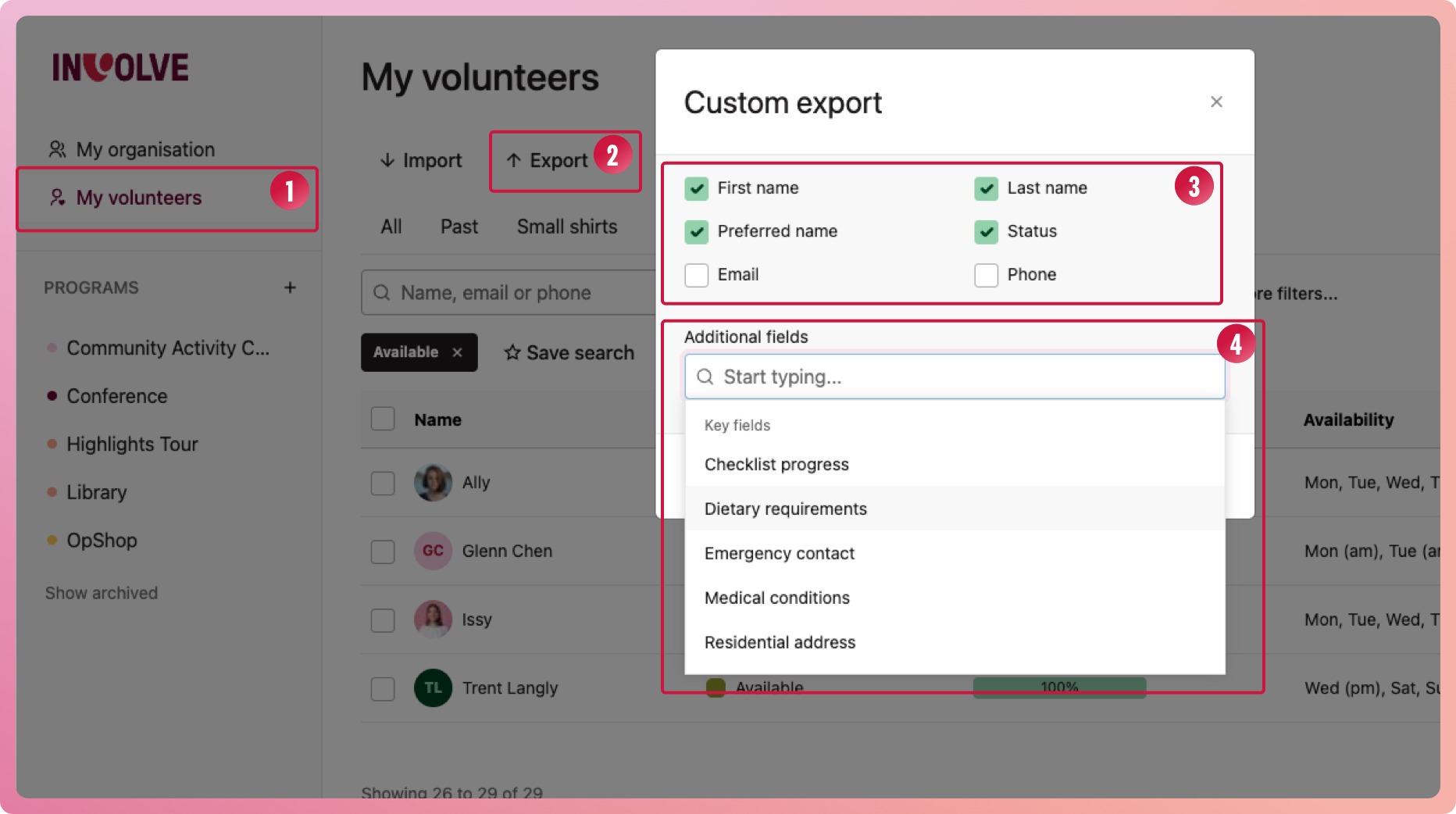
Exporting anything on the volunteer's profile was probably the most requested feature, and we are so proud to now have it. When you need to export your volunteer information, you can now choose which columns will appear. This makes the export not only flexible for your specific needs but also helps you avoid exporting too much sensitive data, which is smart.
Have a look:
-
Navigate to your list of volunteers (My Volunteers or program volunteers)
-
Filter your list of volunteers (here is how if you're not sure) to what you need, and then select the Export button
-
In the Custom export modal, select from the basic information. At least one of these must be selected
-
In the additional fields input, search for the information you need. It will have everything from your volunteer profiles, including custom fields. Select as many as you need.
-
Select the Generate button to download a csv of the data
🚀 Improvements
First Aid & National Police Certificate Dates
We have changed two of the three default certificates to use issue dates rather than expiry dates, as they do not show an expiry when issued. This way, we can track their renewal based on your organisation's timeframes in the organisation's settings.
👉🏽 Important: this may impact your expiring certificate notifications. Here is more information on how this change affects your certificates
Open Shift UX Enhancements
We have continued improving the Open Shift experience with a couple of upgrades to make managing open shifts easier.
Cascading open shift changes: Now, when you change information in your open shift instance, it will filter down to any associated slots assigned to volunteers (except for the status). This means that if you need to change the shift time, you only need to do it once in the original open shift, and all assigned shifts will automatically update as well.
Requests when assigning slots: When you go to assign an open shift slot, the volunteer picker will show any volunteers who have requested a slot first. Picking them will accept their request.
🐛 Bug Fixes
We have delivered a collection of general bug fixes to ensure smoother everyday use of INVOLVE. Lots of these were caught by our testers, but some have come from you, our users. Thank you for your time to report these. We greatly appreciate it 💚